Odoo POS Geidea Pay By Link allows merchants to create secure payment links directly from the POS screen and share them with customers via SMS or email.
Customers can open a link or scan a QR code to complete the payment, while the POS automatically updates the payment status and records the transaction on the backend.
Odoo POS Geidea Pay By Link helps businesses accept remote payments easily and securely without requiring customers to share card details at the counter.
- A secure Pay By Link payment flow is integrated directly within Odoo POS.
- Automatically generate unique payment links for each POS order.
- Allows customers to complete payments via a link or QR code on a mobile device.
- Supports SMS and email sharing of payment links from POS screen.
- Display real-time payment confirmation directly in the POS interface.
- Automatically sync payment status between POS and backend.
- Record complete Geidea Pay By Link transaction history in the backend.
- Ensures secure payment processing through Geidea hosted payment pages.
- Increase payment flexibility by enabling remote customer payments.
- Once you purchase the App from Webkul store, you will receive a link to download zip module submit.
- Extract the files on your system once the download is complete. As a result, you will be able to see a folder named- ‘ pos_geidea_pay_by_link.‘
- Copy and paste this folder inside your folder Odoo Add-ons Path.
- Now, open the Odoo Application and click on the Settings menu. Here, click Enable Developer Mode.
- Then, open the Application menu and click ‘Update Module List.’
- In the search bar, clear all filters and search for ‘pos_geidea_pay_by_link.‘
- You will be able to see the module in the search results. Click on ‘Activate‘ to install it.
- After installing Odoo POS Geidea Pay By Link, go to the Payment Method configuration menu and activate Geidea Pay By Link.
2. After configuring the Geidea Pay By Link payment method, it will appear on the postal payment page.
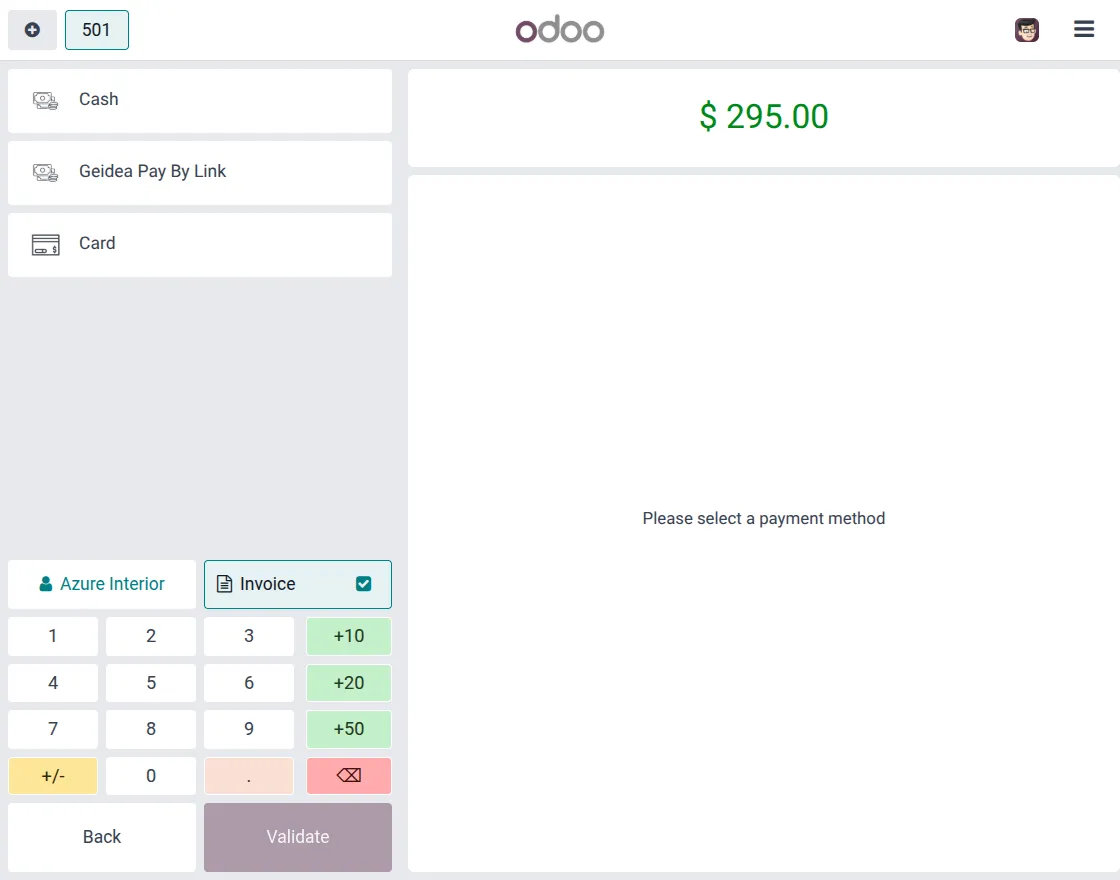
3. After selecting Geidea Pay With Link, Click the Send button to create and share the payment link with customers.
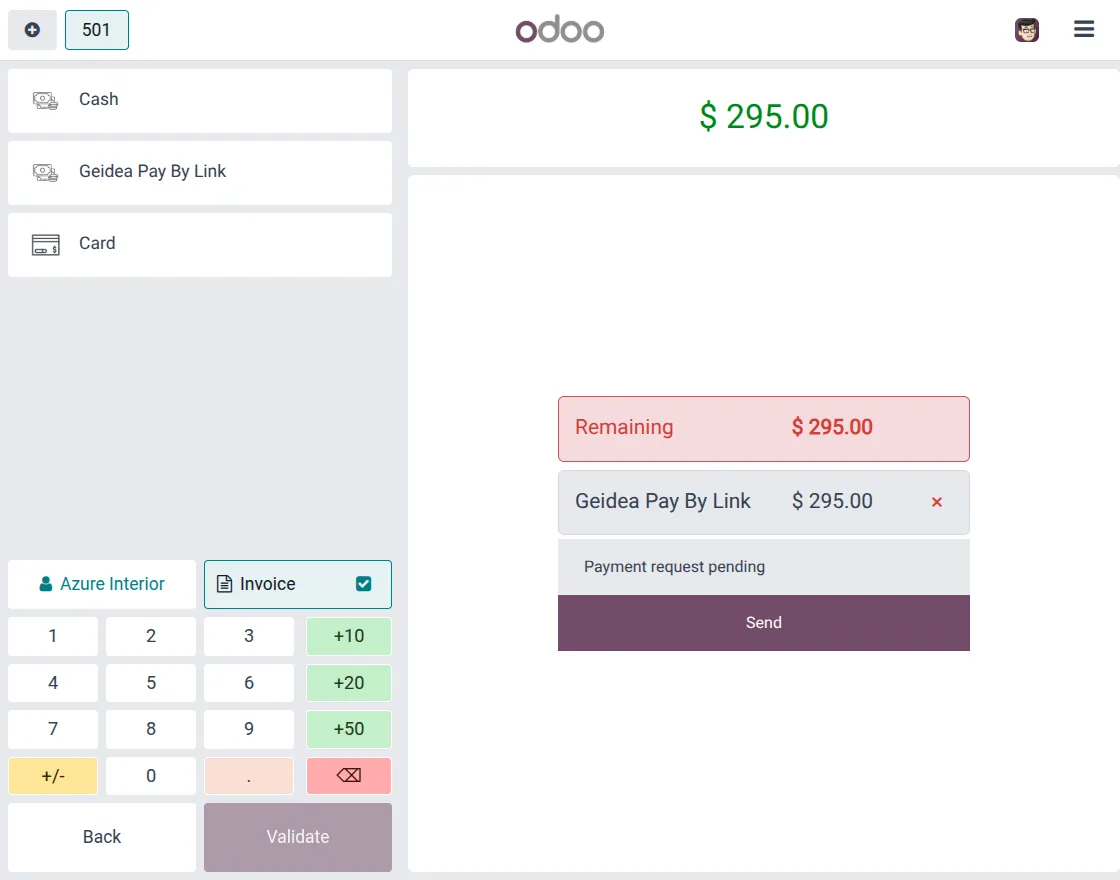
4. Customers open the link or scan the QR code and complete the payment securely on their device.
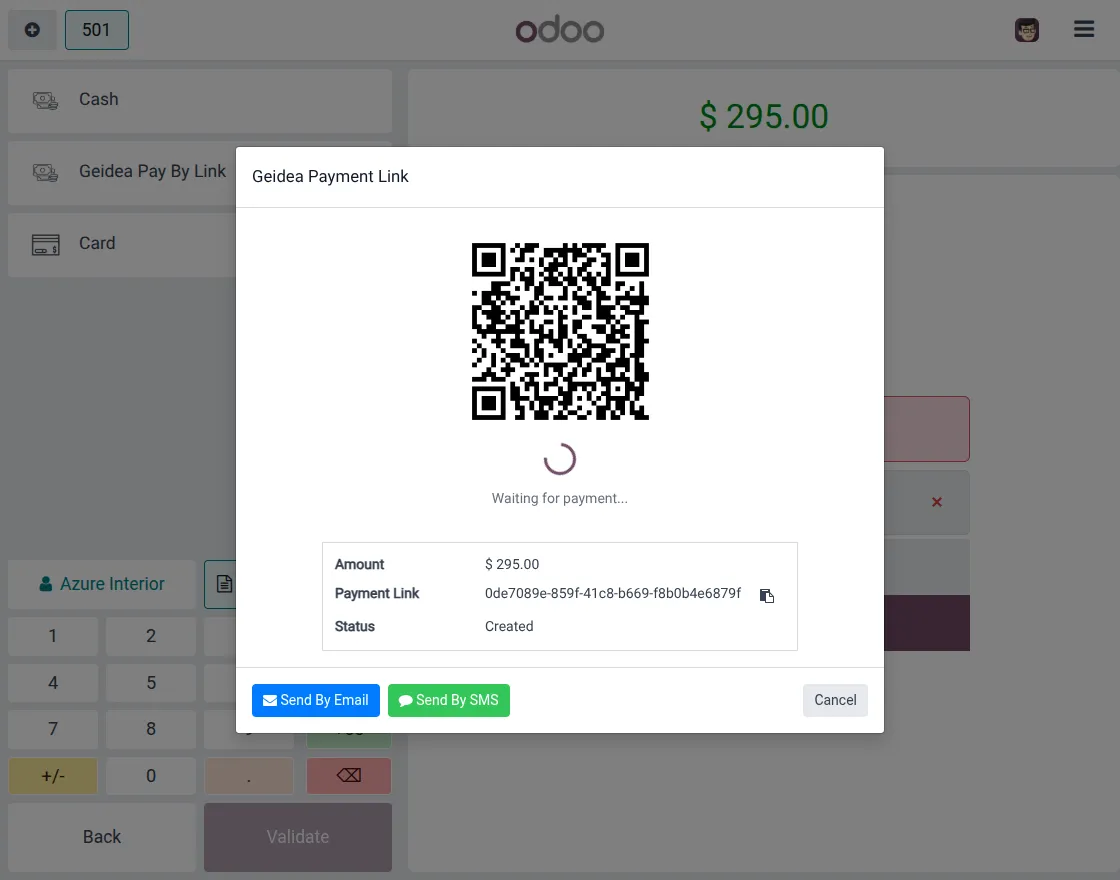
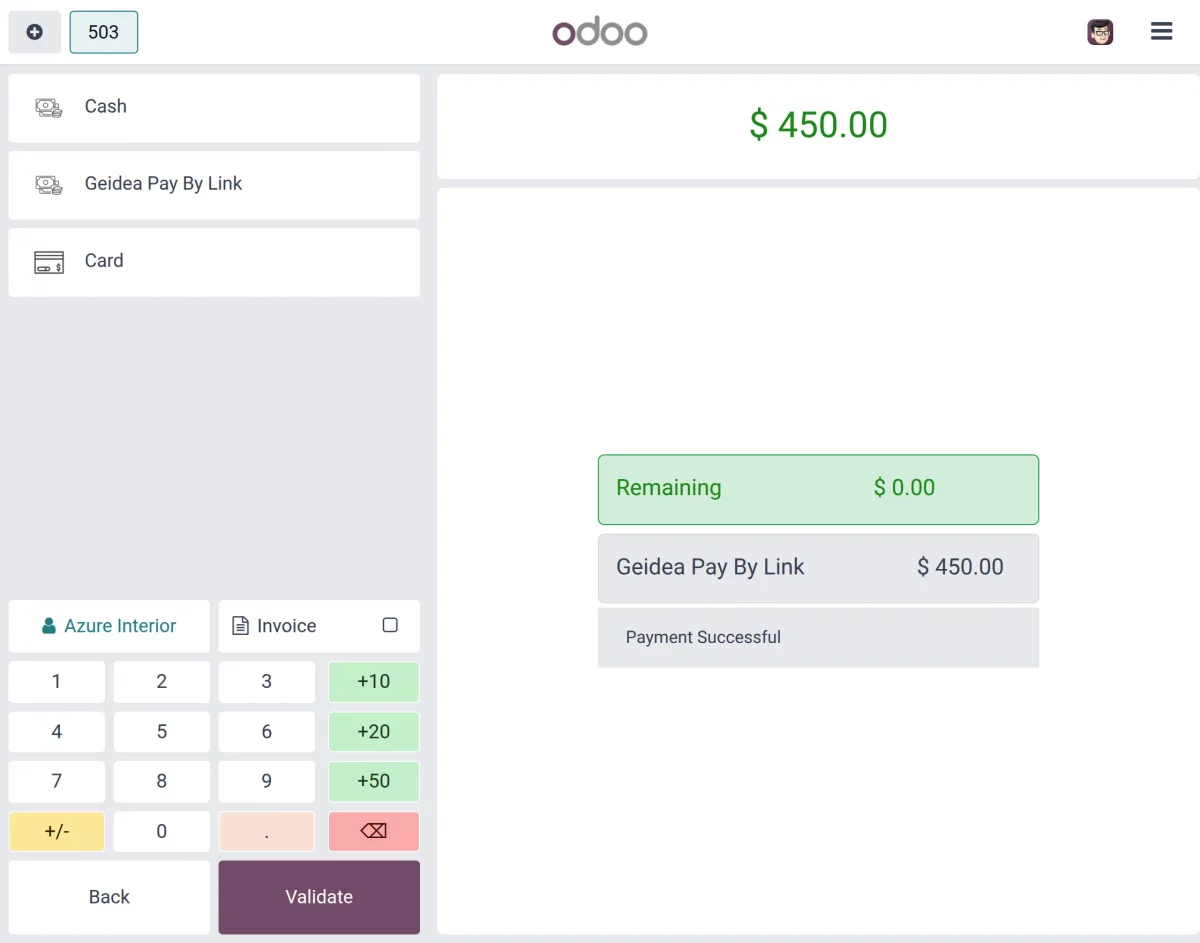
5. After the customer completes the payment, the POS displays a Payment Successful messages and update payment status automatically.
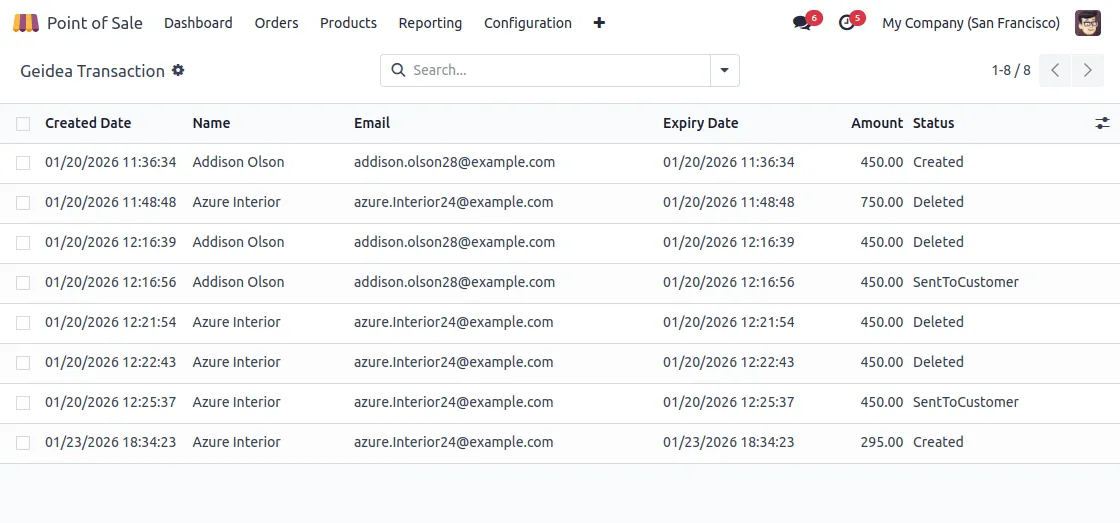
6. In Odoo POS Geidea Pay By Link, you can view all Pay By Link transactions with order reference, amount and payment status in the backend.
We hope this guide is useful for you! Please share your feedback in the comments below.
If you still have problems/questions, please create a ticket at UV Desk.
I hope this helps. If you have further questions, contact us on our support mail.
Thank you for noticing!!
Current Product Version – 1.0.0
Supported Framework Versions – Odoo V19, V18, V17

News
Berita Teknologi
Berita Olahraga
Sports news
sports
Motivation
football prediction
technology
Berita Technologi
Berita Terkini
Tempat Wisata
News Flash
Football
Gaming
Game News
Gamers
Jasa Artikel
Jasa Backlink
Agen234
Agen234
Agen234
Resep
Download Film
Gaming center adalah sebuah tempat atau fasilitas yang menyediakan berbagai perangkat dan layanan untuk bermain video game, baik di PC, konsol, maupun mesin arcade. Gaming center ini bisa dikunjungi oleh siapa saja yang ingin bermain game secara individu atau bersama teman-teman. Beberapa gaming center juga sering digunakan sebagai lokasi turnamen game atau esports.