The CS-Cart Scratch Card add-on allows store owners to run gamified rewards campaigns using virtual scratch cards.
Additionally, customers can scratch and instantly earn reward points, wallet balance, or gift voucher codes.
Additionally, admins can set eligibility rules, reward limits, and campaign conditions directly from the backend.
Additionally, scratch cards appear on the storefront and checkout pages, increasing visibility and participation.
Additionally, vendors can create product-based campaigns. Additionally, automatic gift generation ensures a smooth user experience.
Lastly, first-time customer offers and one-time claim rules help increase conversions and maintain fair use.
Notes: Before installing the add-on, extract the downloaded package.
- Install License Manager additional first.
- Then install the required add-ons.
- Follow the license activation steps to generate your license key.
Feature
- Create a virtual scratch card campaign for customer rewards.
- Allows customers to scratch the card and reveal rewards instantly.
- Reward customers with reward points via scratch cards.
- Offers wallet balance rewards to eligible customers.
- Generate gift certificate coupons as scratch card rewards.
- Display scratch cards in storefronts and checkout pages.
- Supports minimum order value requirements for reward eligibility.
- Allows admin to configure reward points and wallet reward limits.
- Supports setting reward thresholds for higher value rewards.
- Limiting scratch card participation to logged in customers.
- Prevent customers from claiming the same reward multiple times.
- Supports vendor-level reward configuration and product eligibility settings.
- Allows vendors to create product-specific giveaway campaigns.
- Provide special gifts for first time customers.
- Support customer loyalty and retention campaigns.
- Helps increase customer engagement through gamified promotions.
- Encourage repeat purchases with points, wallet rewards, and coupons.
- Simplifies gift campaign management from the admin panel.
Installation
To install CS-Cart Scratch Cardfollow these steps:
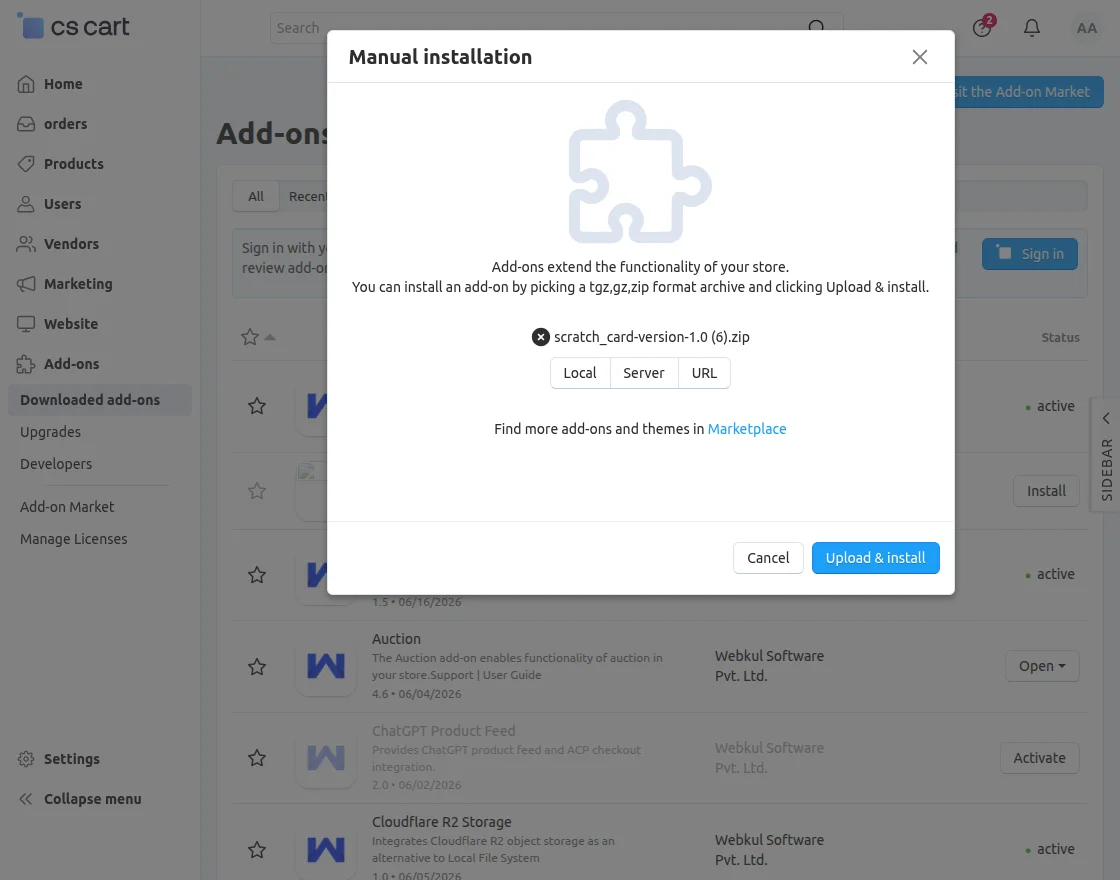
- Go to Manage Add-onsclick the gear dropdown, and select Manual Installation.
2. Select Zip file and click Upload&install.
Additional Configuration
After installation of the add-on, you will find it CS-Cart Scratch Card in the list of available add-ons. Plus, it makes it easy to find and manage add-ons from the admin panel.
General Configuration
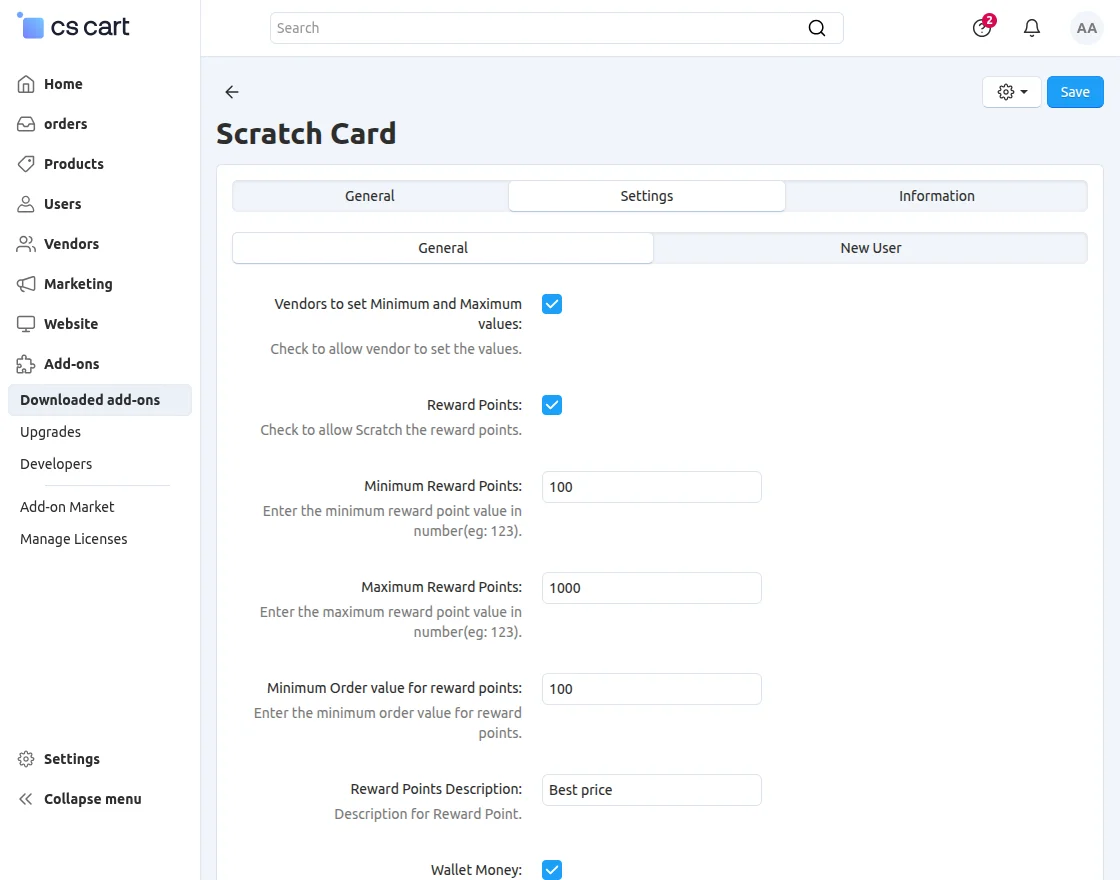
- Allow Vendors to Set Minimum and Maximum Values
- Enable this option to allow vendors to configure their own minimum and maximum reward values for scratch card campaigns.
- Reward Points
- Enable this option to allow customers to win reward points via scratch cards.
- Minimum Reward Points
- Determine the minimum number of reward points that can be awarded.
- Maximum Reward Points
- Determine the maximum number of reward points that can be awarded.
- Minimum Order Value for Reward Points
- Set the minimum order amount required for customers to qualify for rewards points.
- Reward Points Description
- Enter a description that will be displayed with the reward points reward campaign.
Also, configure these fields:
- Money Wallet
- Enable this option to allow customers to receive wallet balance rewards via scratch cards.
- Minimum wallet money
- Determine the minimum wallet balance that can be provided.
- Maximum Wallet Money
- Determine the maximum amount of wallet balance that can be assigned.
- Minimum Order Value for Wallet Money
- Set the minimum order amount required for customers to qualify for wallet balance rewards.
- Discount Offers
- Enable this option to reward discount coupons via scratch cards.
- Discount Code
- Enter the coupon code that will be given to customers.
- Minimum Discount Amount
- Determine the minimum discount value associated with the coupon reward.
- Minimum Order Value for Discount
- Set the minimum order quantity required for customers to qualify for a discount coupon reward.
- Set a Maximum Amount Limit at Which Users Win Big
- Configure maximum reward thresholds for high-value rewards to control promotional spend.
- Set a Monthly Bonus Limit
- Determine the maximum number of bonus prizes that can be distributed in a month.
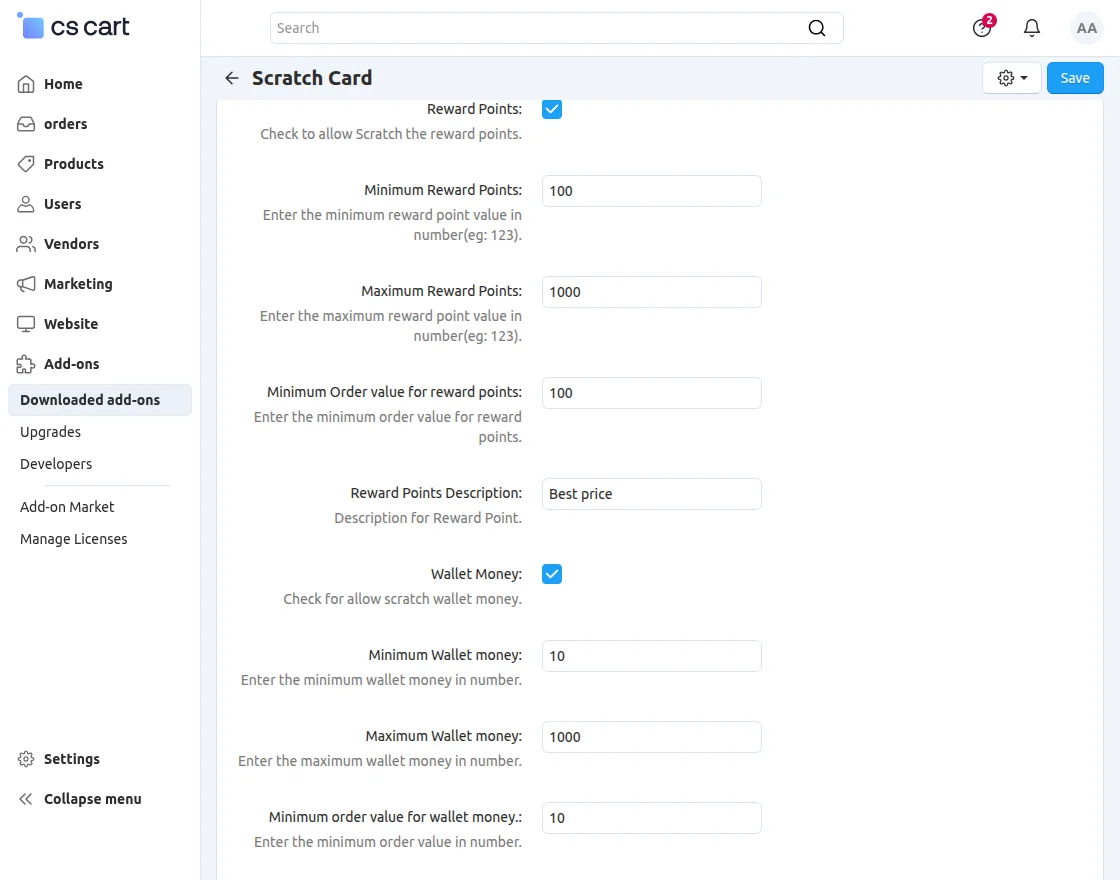
Once the required settings are configured, the admin must save the changes. As a result, a scratch card gift campaign was activated in the store.
Additionally, this ensures that customers can start receiving rewards without delay.
New User Configuration
These rewards can be offered as reward points or wallet balance. As a result, new customers feel encouraged to place their first order.
Additionally, they are more likely to return for future purchases, helping to increase customer engagement and retention.
Available settings are:
- Reward Points
- Enable this option to allow new customers to win reward points via scratch cards.
- Minimum Reward Points for New Users
- Determine the minimum number of reward points that can be awarded to new customers.
- Maximum Reward Points for New Users
- Determine the maximum number of reward points that can be awarded to new customers.
- Reward Points Description
- Enter a description of the reward points campaign that will be displayed to new eligible customers.
- Money Wallet
- Enable this option to allow new customers to receive wallet balance rewards via scratch card.
- Minimum Wallet Money for New Users
- Determine the minimum wallet balance amount that can be given to new customers.
- Maximum Wallet Money for New Users
- Determine the maximum wallet balance amount that can be given to new customers.
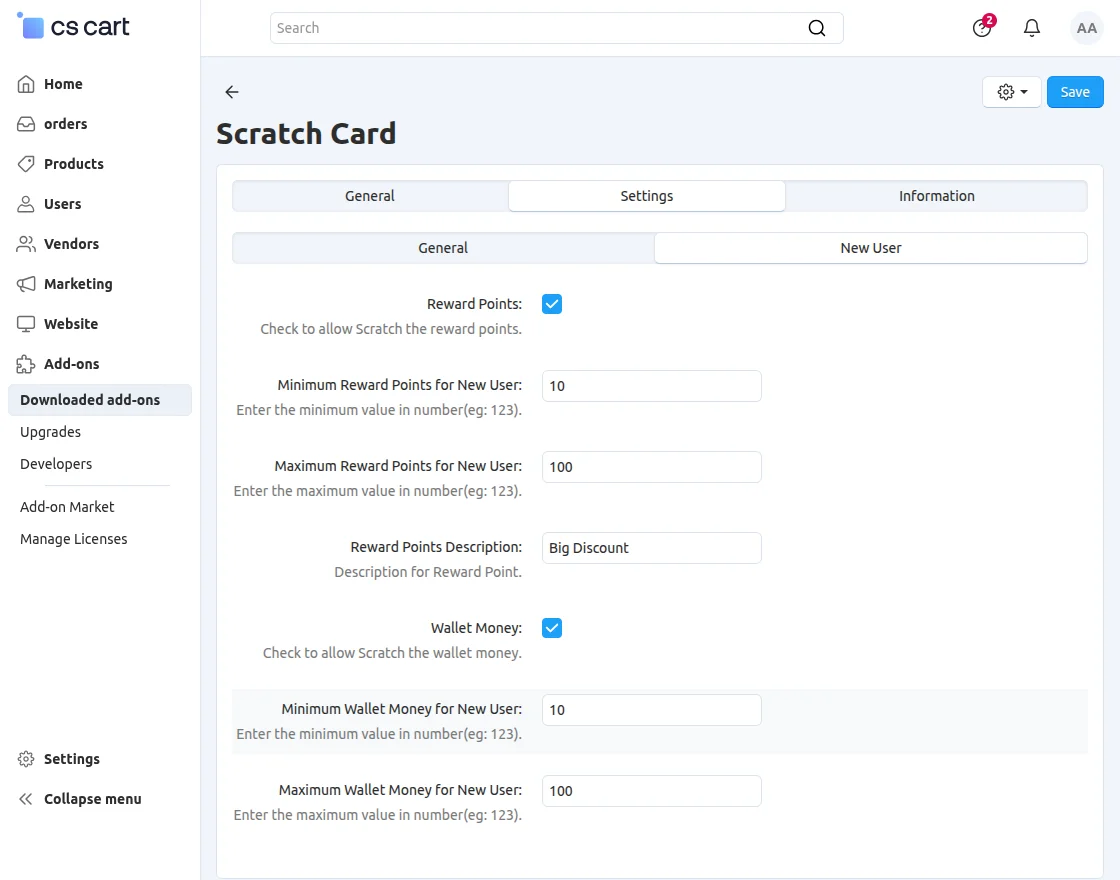
After configuring the required settings, the admin must save the changes. As a result, scratch card rewards can be given to first time customers.
Additionally, this ensures that the reward system starts working as it should without any glitches.
After configuring the required settings, the admin must save the changes. Additionally, this action enables scratch card rewards for first-time customers.
As a result, the reward system becomes active and starts functioning as it should.
Create Gift Certificates
To use a gift certificate coupon as a scratch card gift, the admin must first create a gift certificate in CS-Cart.
Follow the steps below:
- Navigate to Marketing → Gift Certificates from the CS-Cart admin panel.
- Click + button to create a new gift certificate.
- Enter the required gift certificate details:
- Gift Certificate Name – Decide on a name for the gift certificate.
- Amount – Enter the value of the gift certificate.
- Status – Set the gift certificate status to Active.
- Recipient Information – Add recipient details if required.
- Expired – Configure expiration date if necessary.
- Configure any additional settings according to your business needs.
- Click Make or Keep to generate gift certificates.
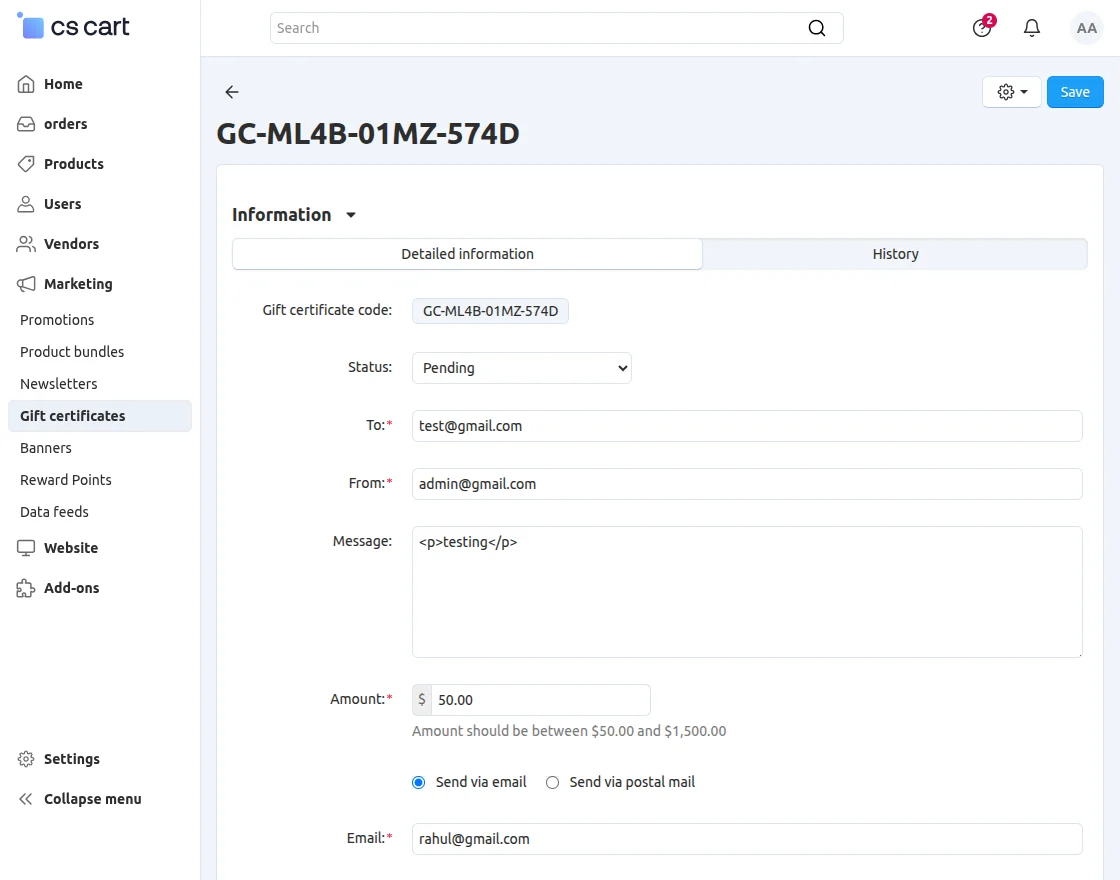
Once a gift certificate is created, it can be used as a gift in the CS-Cart Scratch Card Add-on.
When customers win a gift certificate prize through a scratch card, they immediately receive a gift certificate coupon that they can use on their next purchase.
As a result, customers have an added incentive to return to the store and shop again.
Additionally, this rewards-based promotional strategy helps increase repeat purchases, strengthen customer loyalty, and increase overall customer retention.
Scratch Card Function at Checkout
Once a customer adds products to the cart and proceeds to checkout, a scratch card will be displayed if the gift eligibility conditions configured by the admin are met.
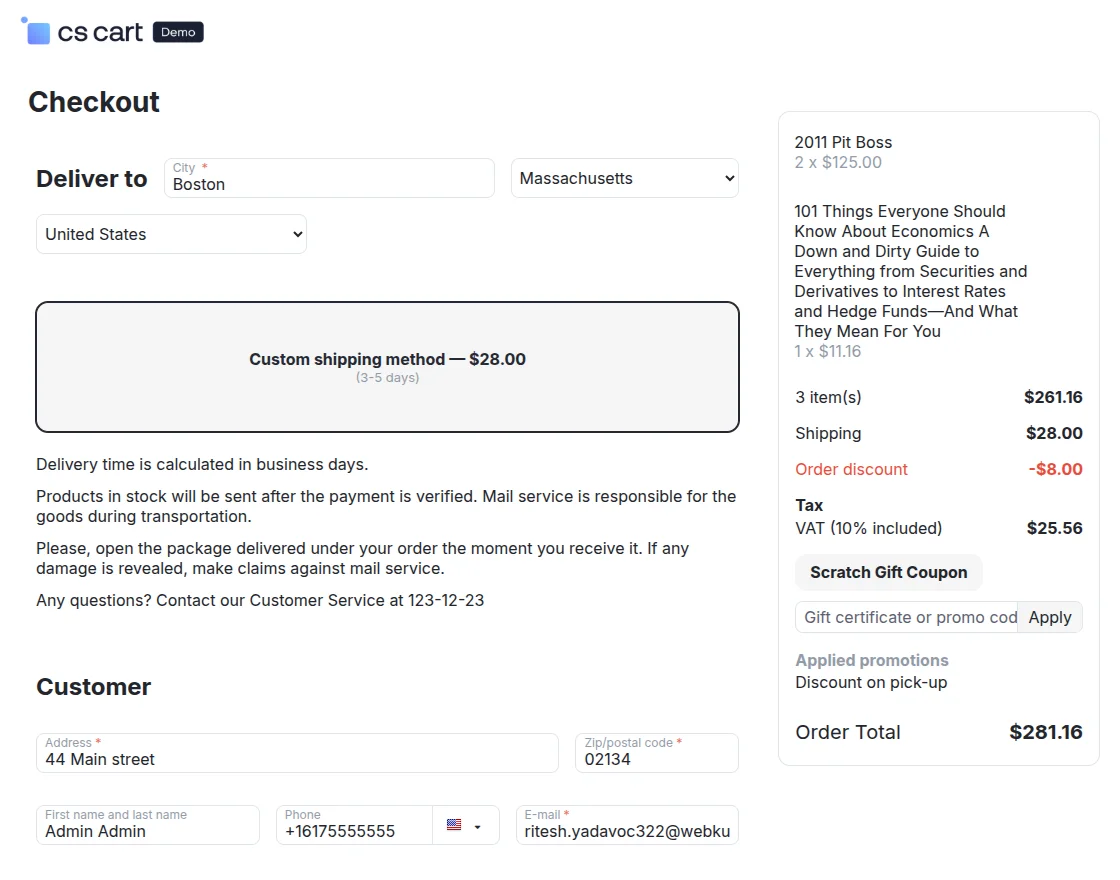
Now, click Scratch Gift Certificate on the payment page.
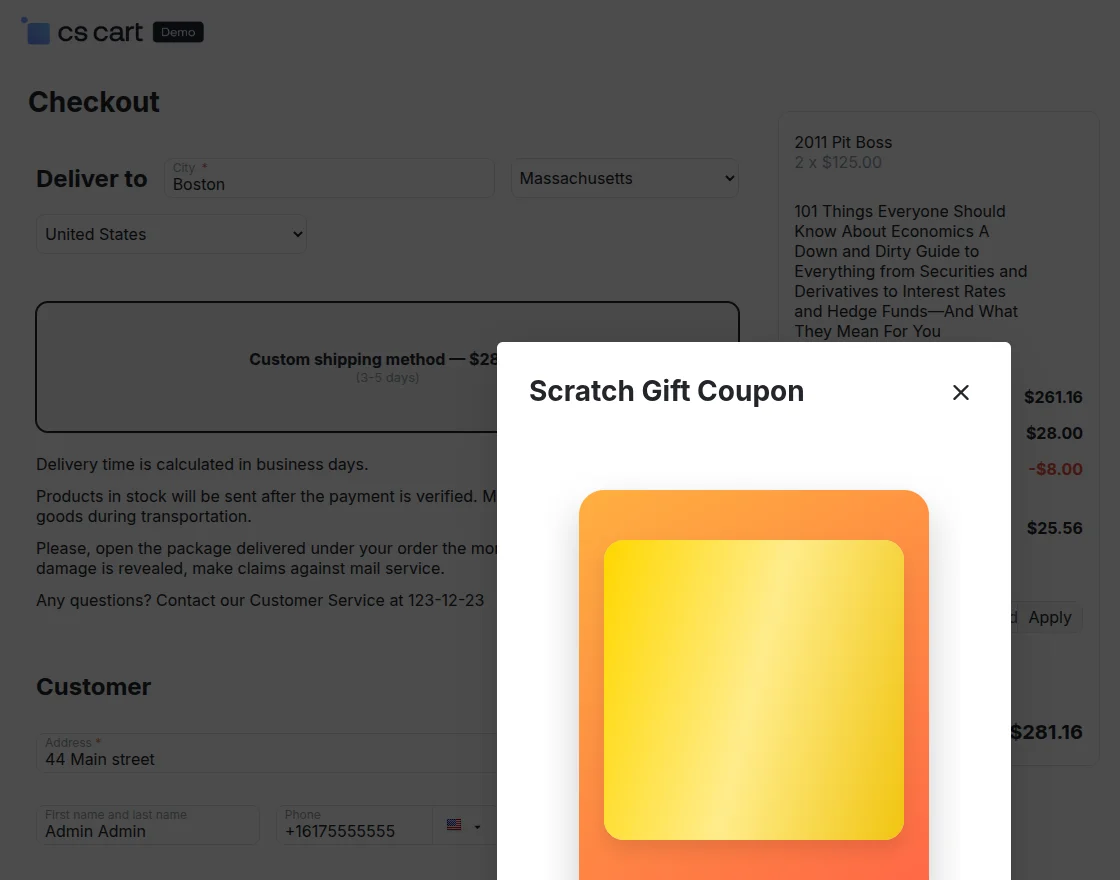
Now, scratch the visible card to see the discount coupon code.
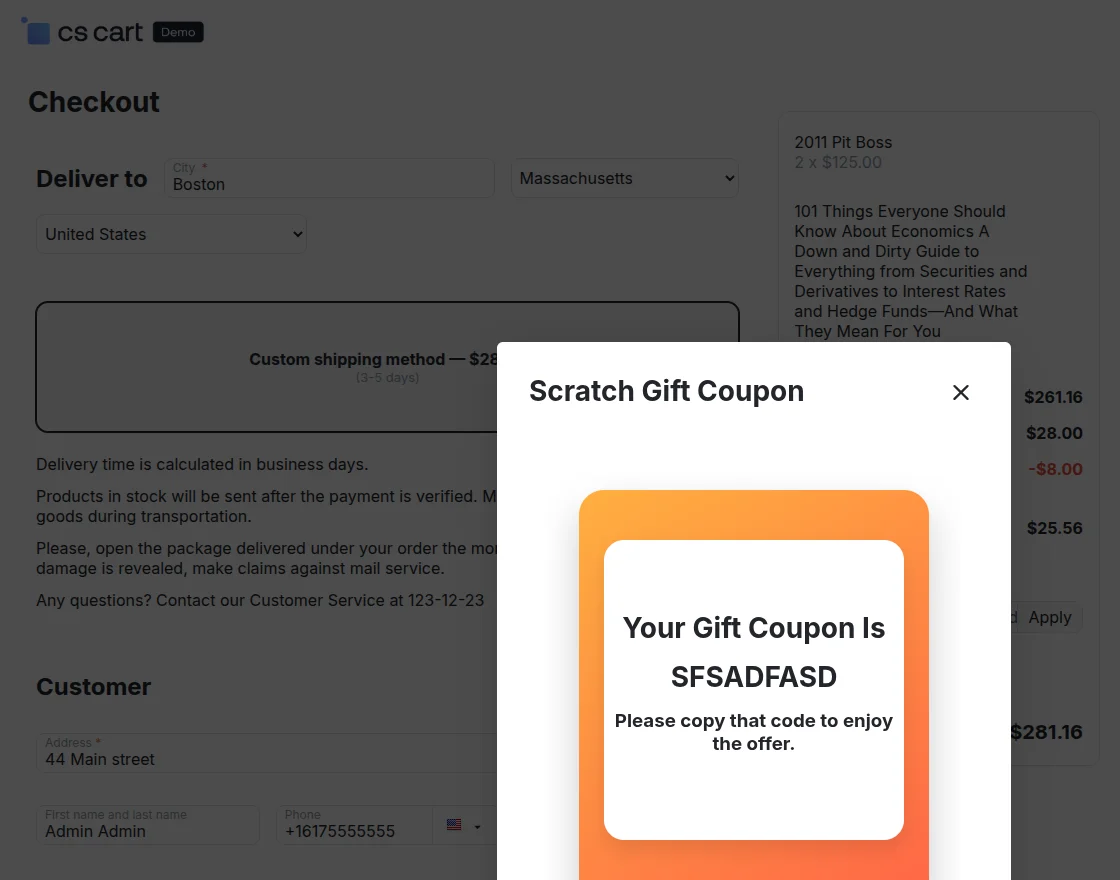
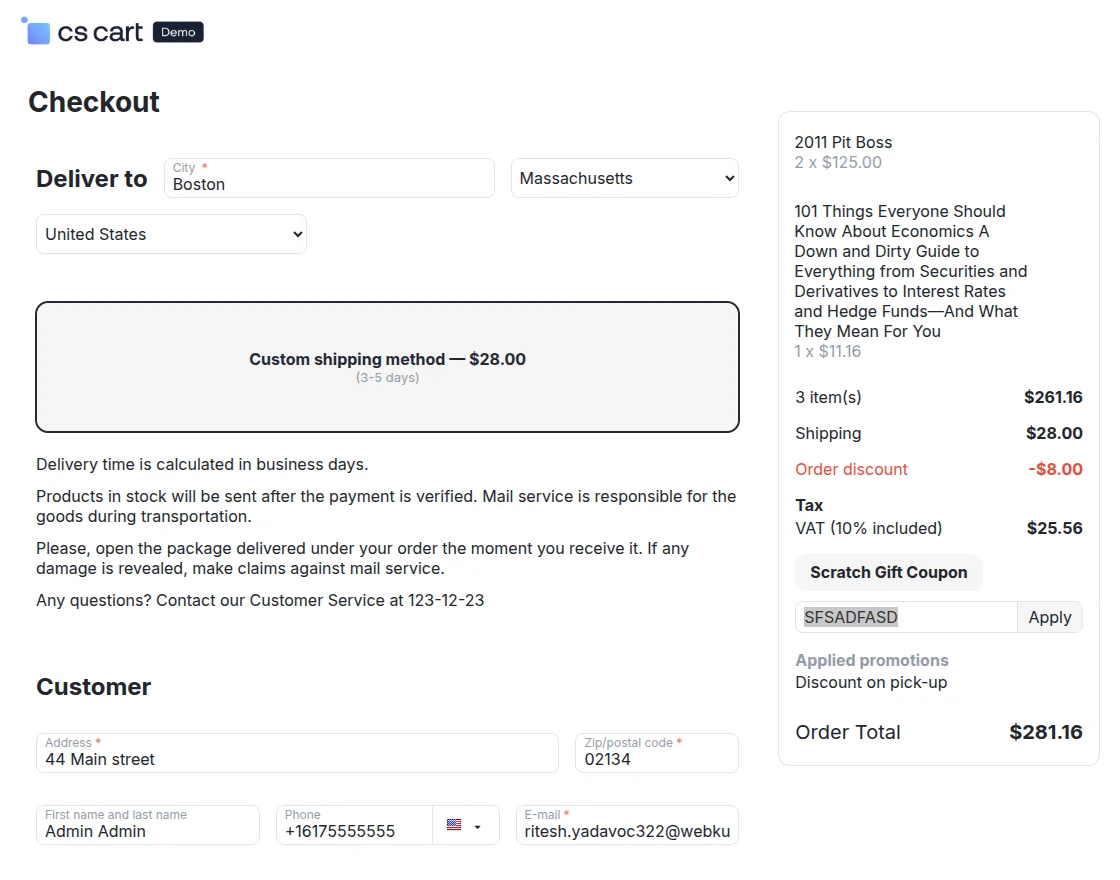
After revealing the coupon code, enter it inside Gift Certificate Promo Code field at checkout to apply the discount and complete your order.
That’s all about the CS-Cart Scratch Card Add-on. If you have any questions or need help with this add-on, please feel free to contact our support team.
Support
For further questions, feel free to contact us at
Please explore our Quality cs-cart Development Services and cs-cart add-ons.
Current Product Version – 1.0
Supported Framework Versions – 4.18.x, 4.19.x, 4.20.x

PakarPBN
A Private Blog Network (PBN) is a collection of websites that are controlled by a single individual or organization and used primarily to build backlinks to a “money site” in order to influence its ranking in search engines such as Google. The core idea behind a PBN is based on the importance of backlinks in Google’s ranking algorithm. Since Google views backlinks as signals of authority and trust, some website owners attempt to artificially create these signals through a controlled network of sites.
In a typical PBN setup, the owner acquires expired or aged domains that already have existing authority, backlinks, and history. These domains are rebuilt with new content and hosted separately, often using different IP addresses, hosting providers, themes, and ownership details to make them appear unrelated. Within the content published on these sites, links are strategically placed that point to the main website the owner wants to rank higher. By doing this, the owner attempts to pass link equity (also known as “link juice”) from the PBN sites to the target website.
The purpose of a PBN is to give the impression that the target website is naturally earning links from multiple independent sources. If done effectively, this can temporarily improve keyword rankings, increase organic visibility, and drive more traffic from search results.