ERPNext Website Product Pack brings native product pack functionality to your ERPNext Webshop by simply enabling the ‘Is Product Pack’ field.
Unlike the ERPNext product bundle feature, this module provides independent parent or child item prices in a product pack.
And a clear way to track what actually sold as a pack once the order moves to invoicing.
Every pack keeps its pricing, cart behavior, and order history tied to standard ERPNext records.
Pair packs with existing catalog, such as product stock displays or brand pages, for a richer storefront.
In this guide, we will cover the setup, features, and the full pack workflow.
Features
- Turn any ERPNext Item into a sellable product pack.
- Add multiple pack components with quantity and rate.
- Choose from three flexible pack pricing methods.
- Display a pack ribbon on ERPNext product cards and listings.
- List every published pack on a dedicated Product Packs page.
- Add product packs to the cart in a single click.
- Preserve pack details across quotations, orders, and invoices.
- Expand pack rows into components inside Sales Orders.
- Check component stock availability before selling a pack through API.
Installation Process
1. After purchasing the app from Webkul Store, you will receive a link to download the module ZIP file.
2. Extract the ZIP file. You will see a folder named ‘erpnext_website_product_pack’.
3. Set up the module in your git repository, then fetch it using:
bench get-app --branch v_16
(Replace “main” with your branch name and replace the “HTTPS URL” with your HTTPS clone URL.)
4. Install the app on your site:
bench --site <your-site-name> install-app website_product_pack
5. Run bench migrate to complete the setup.
Workflow of ERPNext Website Product Pack
After successfully installing the module, you can create a website product pack in two ways.
Either you could go to your existing ERPNext Item and enable the ‘Is Product Pack’ field, or you could also create a New Item and enable the product pack field.
In this guide, let’s enable the product pack on a new item. To do that, open your ERPNext dashboard and go to Item under the Item & Pricing option. Click on the Add Item button.
A pop-up window will appear. Then, add the item details and click on the Edit Full Form button below.
Next, when the full form appears on your screen, select the Product Pack option. Click on the dropdown button and enable the ‘Is Product Pack‘ field.
When you enable the field, a table will appear; here, you can add your pack components.
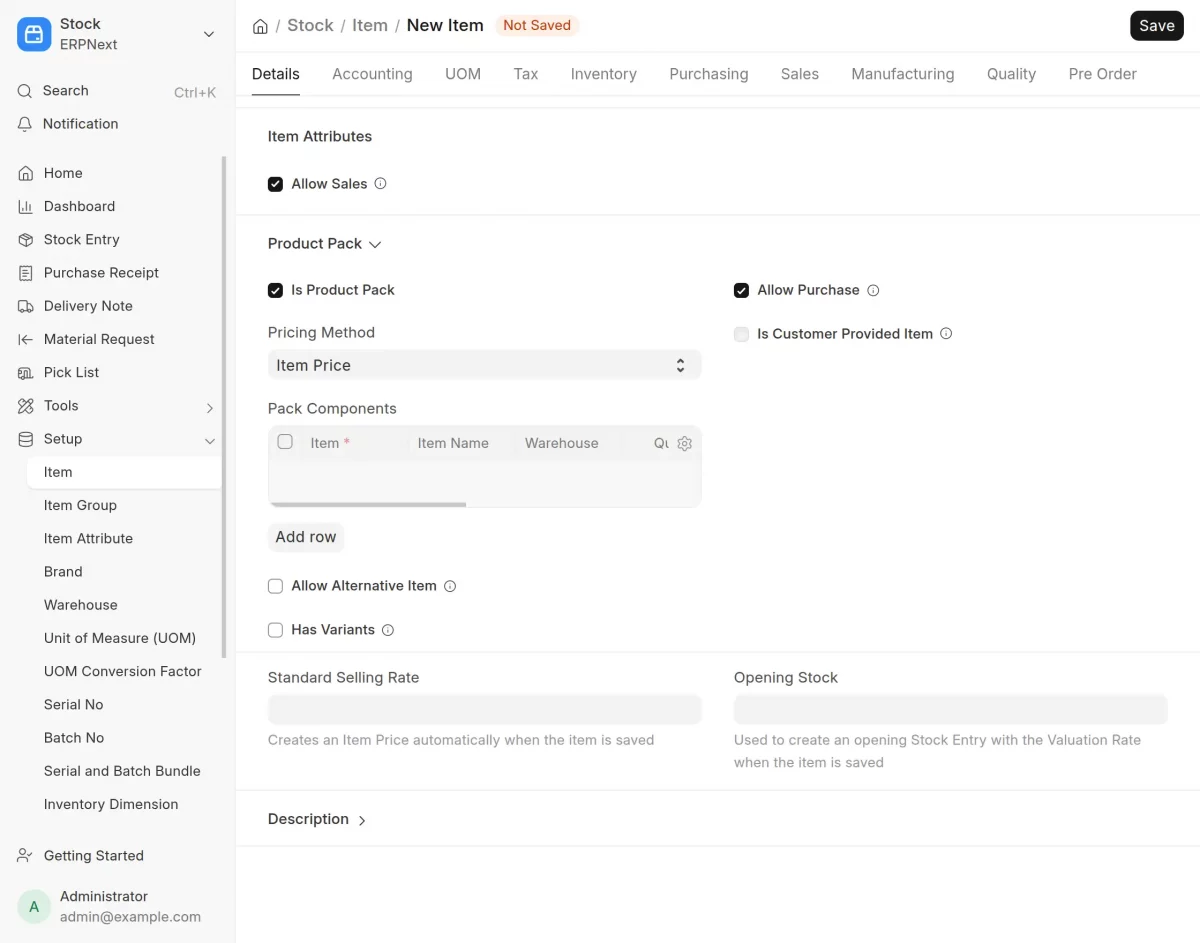
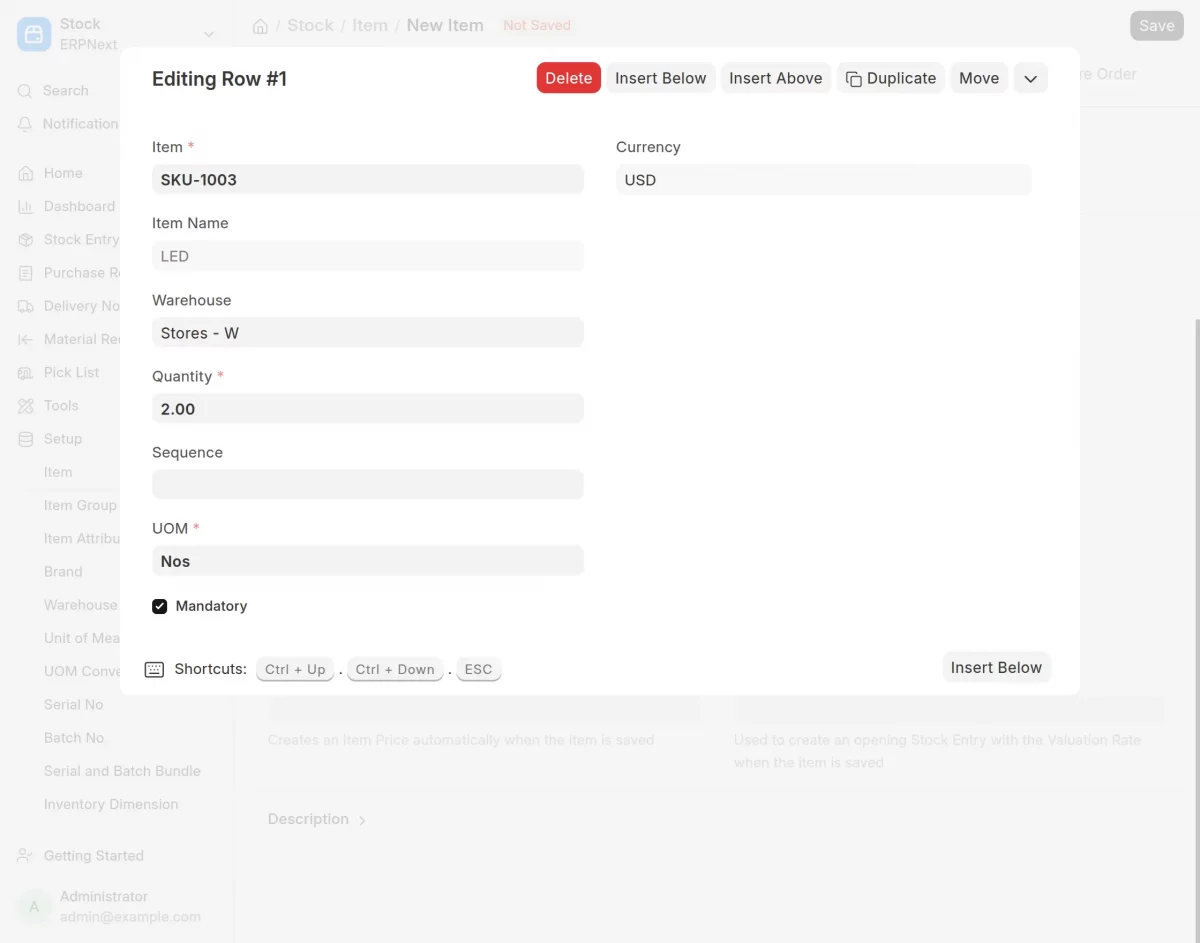
To add pack components, click the gear icon in the table, and a new window will appear.
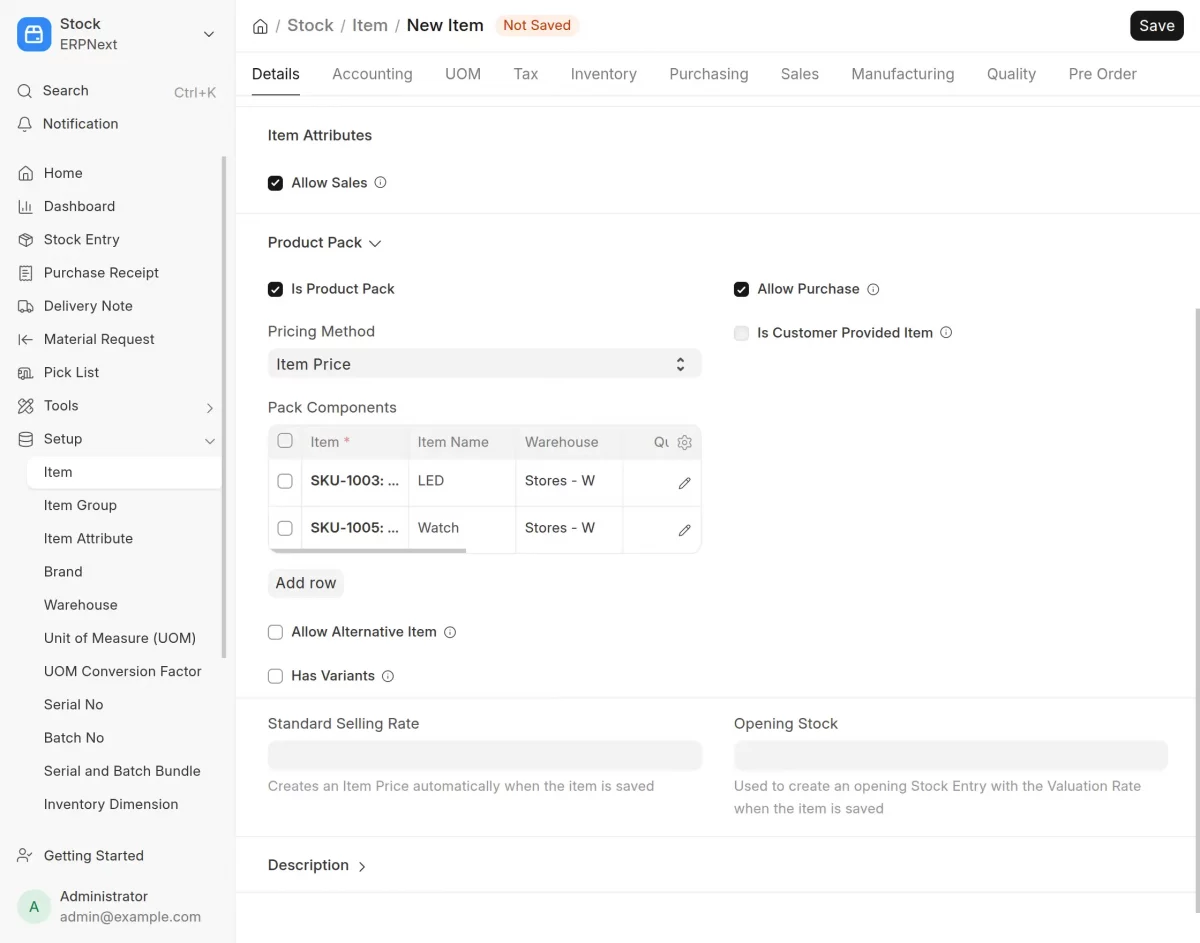
Here, you can add pack component details such as quantity, UOM, and rate, then click Save Changes.
Further, select a pack pricing method and set a discount, if needed. Click on Save Changes.
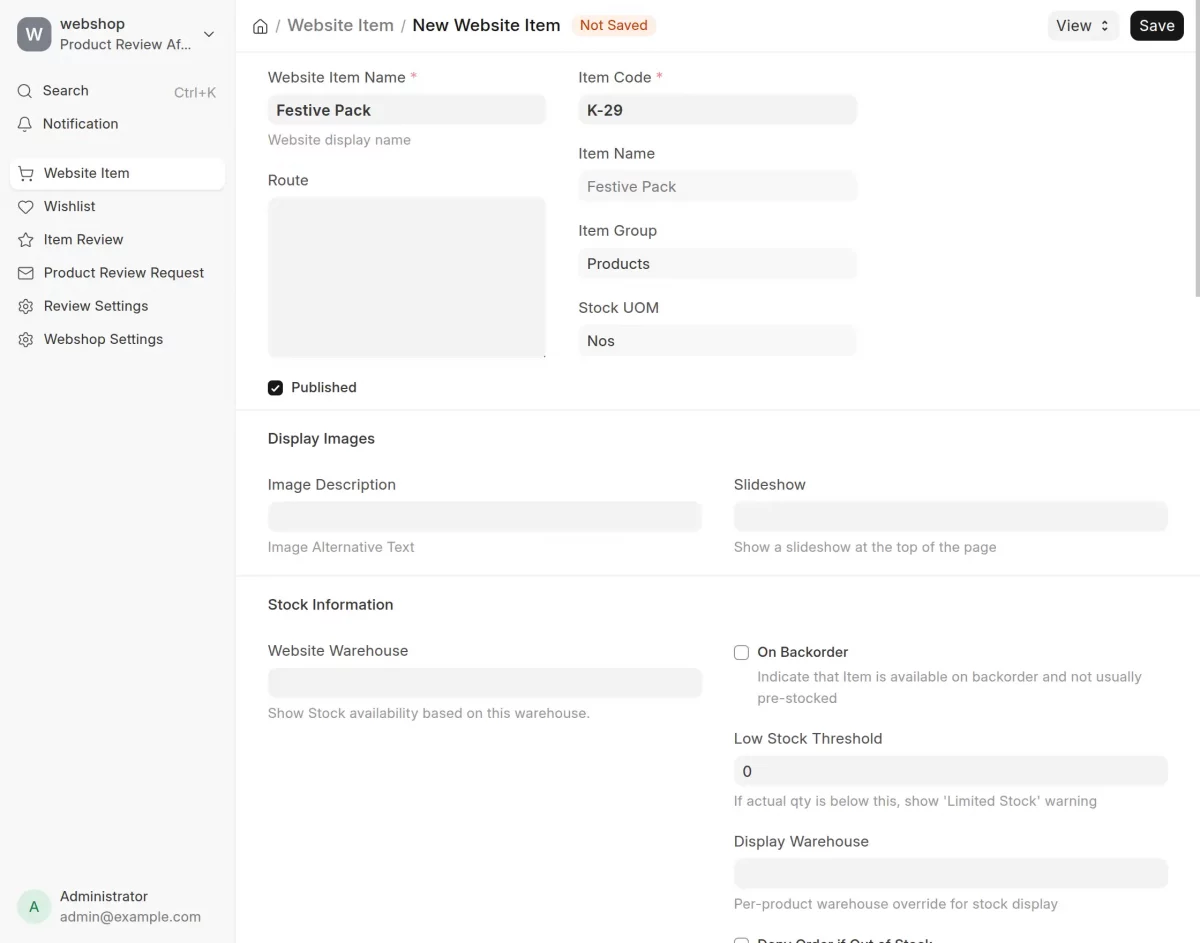
Next, publish the Item so it appears on the Product Packs page. To do that, go to the Website Item and click on the Add Website Item button.
In this window, add the Website Item Name, Code, and UOM details, and click on Save Changes.
Now, your Item is published on your ERPNext Webshop. If you want to view the newly added pack, go to the ‘/product-packs’ page on your webshop.
Here, your customers can browse all the packs you’ve curated for them on the ERPNext website product pack.
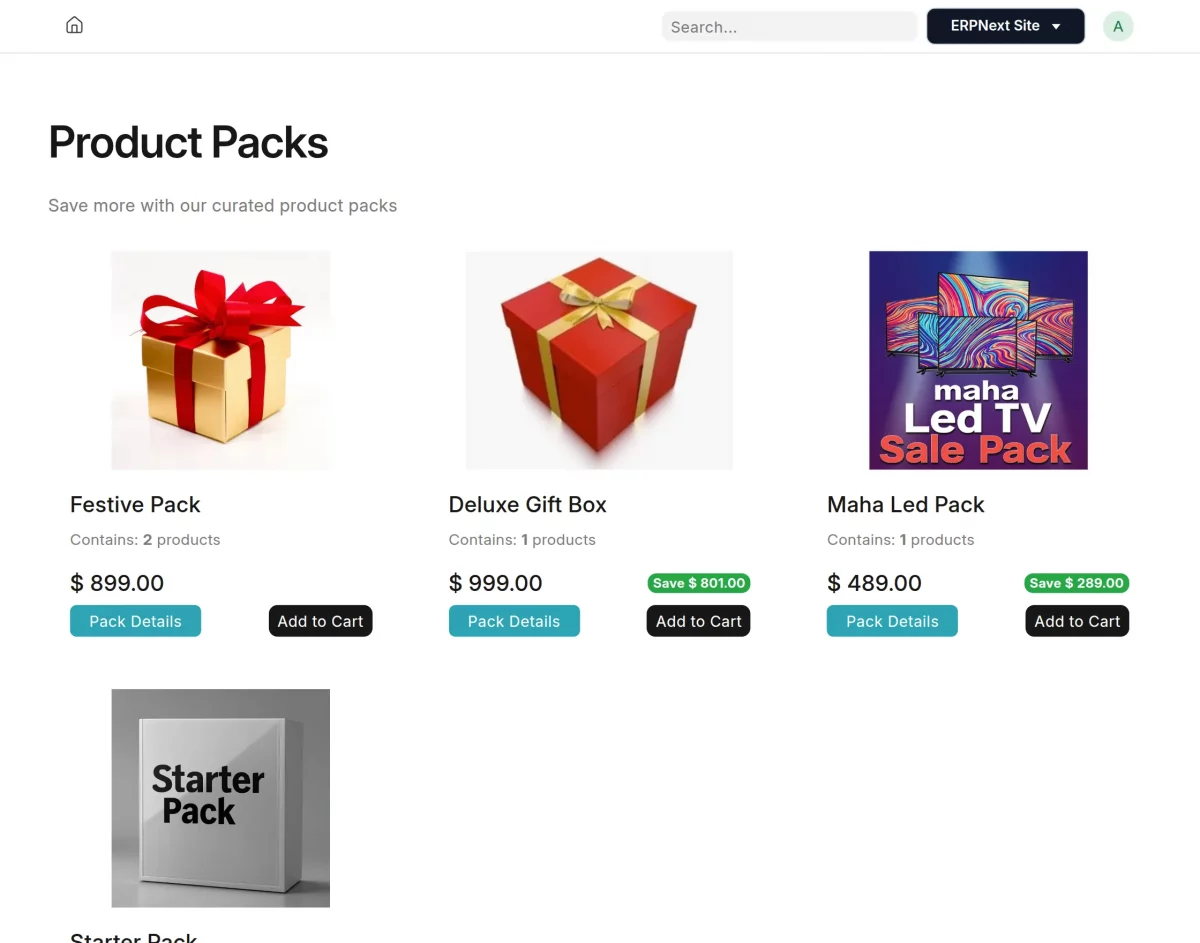
Before moving further, please note that after publishing the curated product pack, you must create an Item Price List.
Then, only the pricing for the pack and its child components will be visible on the ERPNext webstore, as shown in the image above.
To create an Item Price List, go to the Item Price under the Items & Pricing section and click on the Add Item Price button.
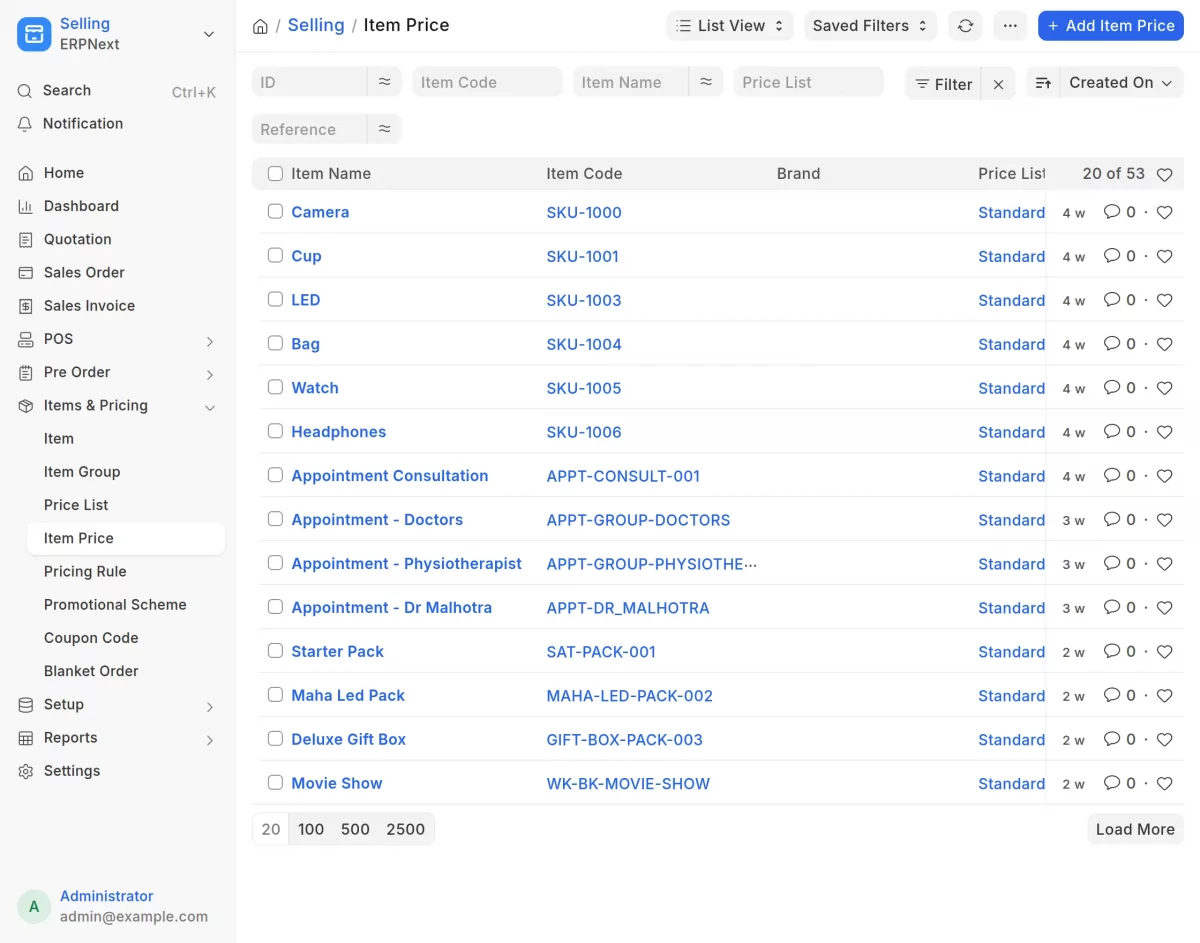
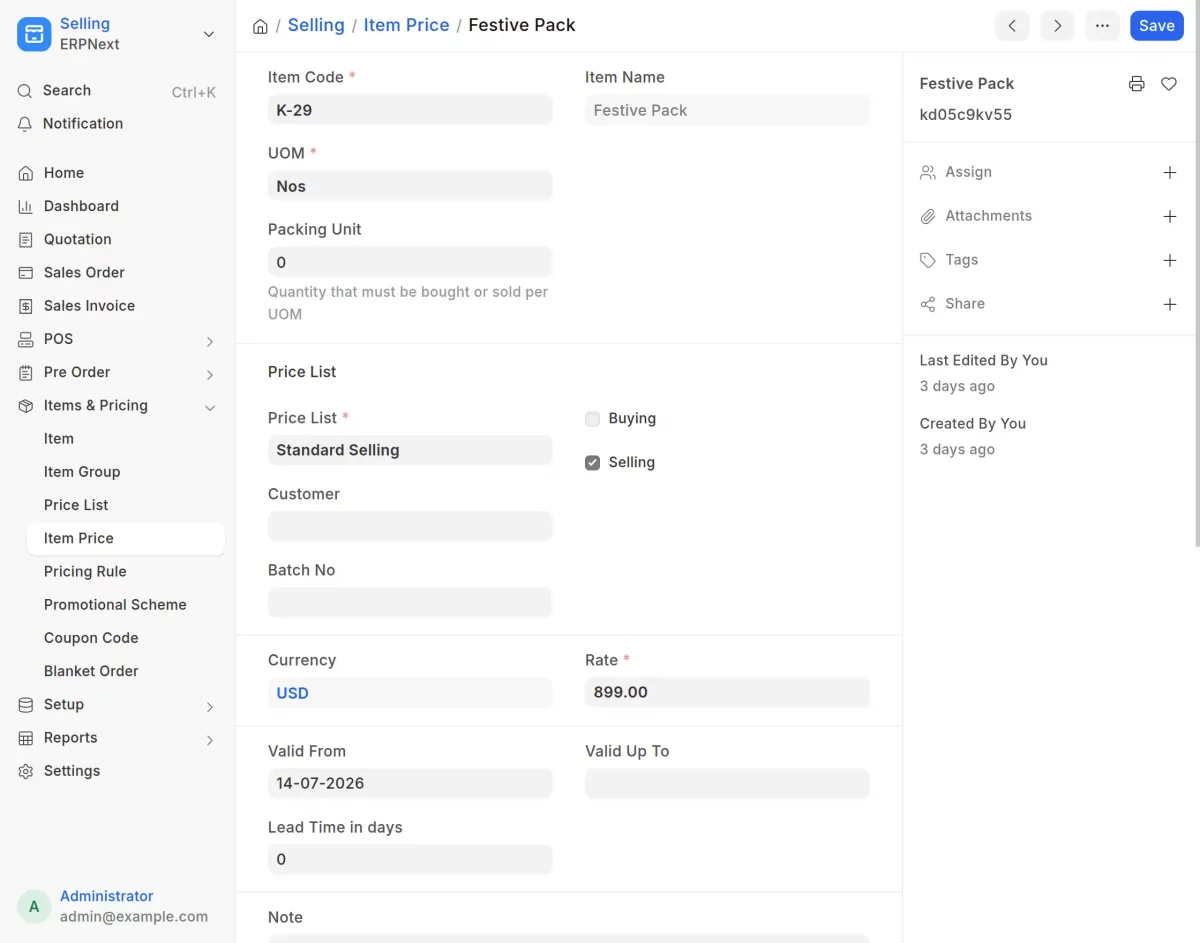
Next, click on Edit on Full Form, and then the full form window will open. Here, you can add the item name, code, price list, and set the rate for the item. Then, click on Save Changes.
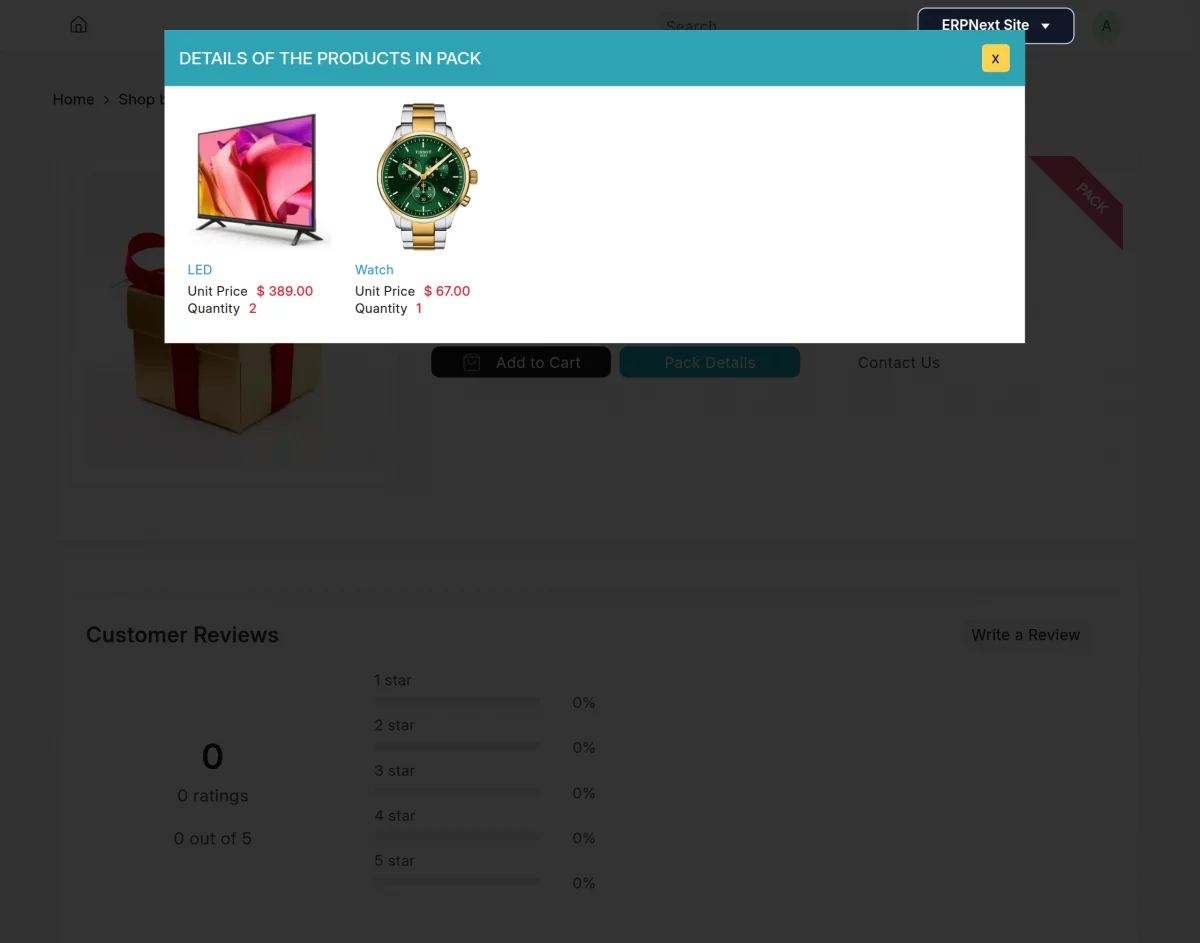
Now, simply click the Pack Details button in the webshop to view each item’s image, name, unit price, and quantity, like in the image below.
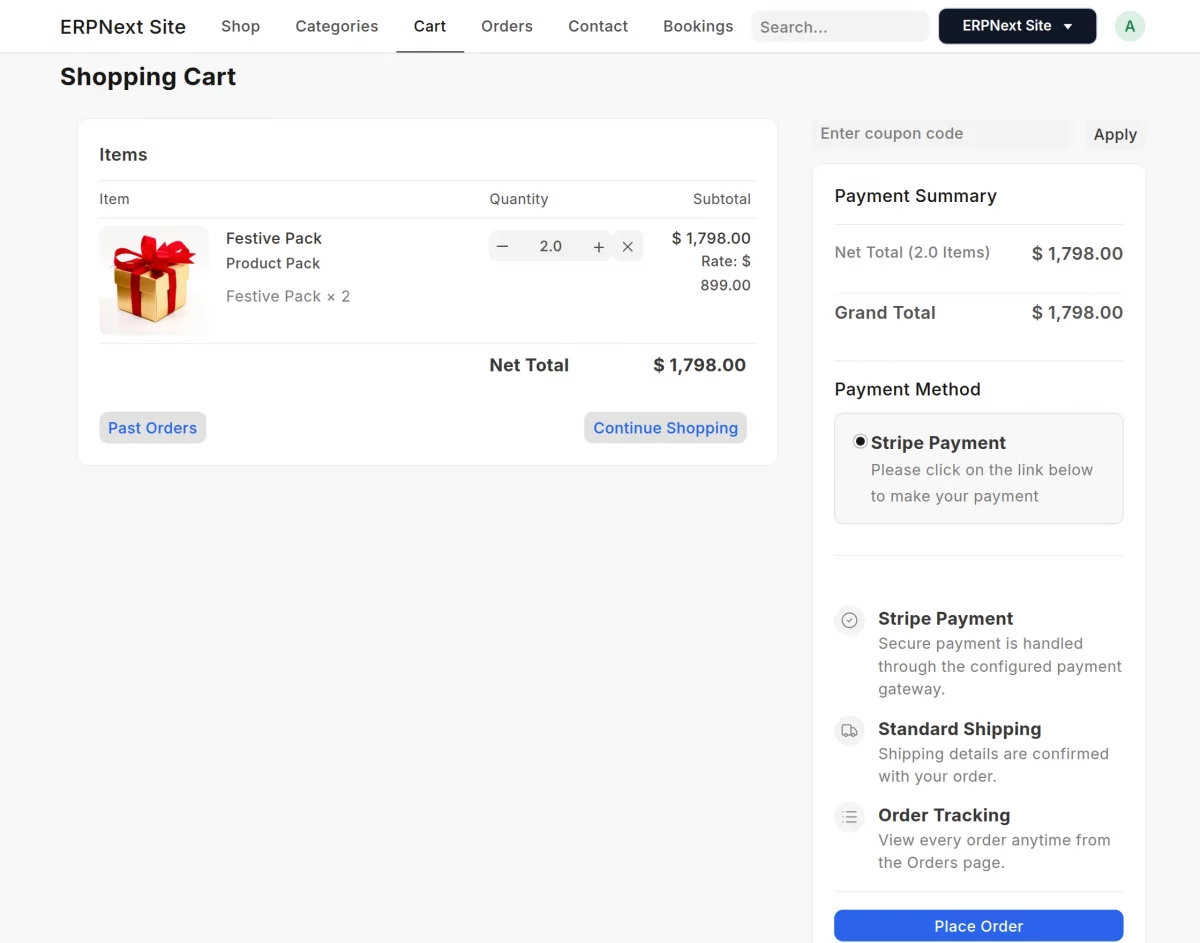
Furthermore, moving the pack into the cart, order processing is easy, where the pack pricing is automatically increased based on the quantity.
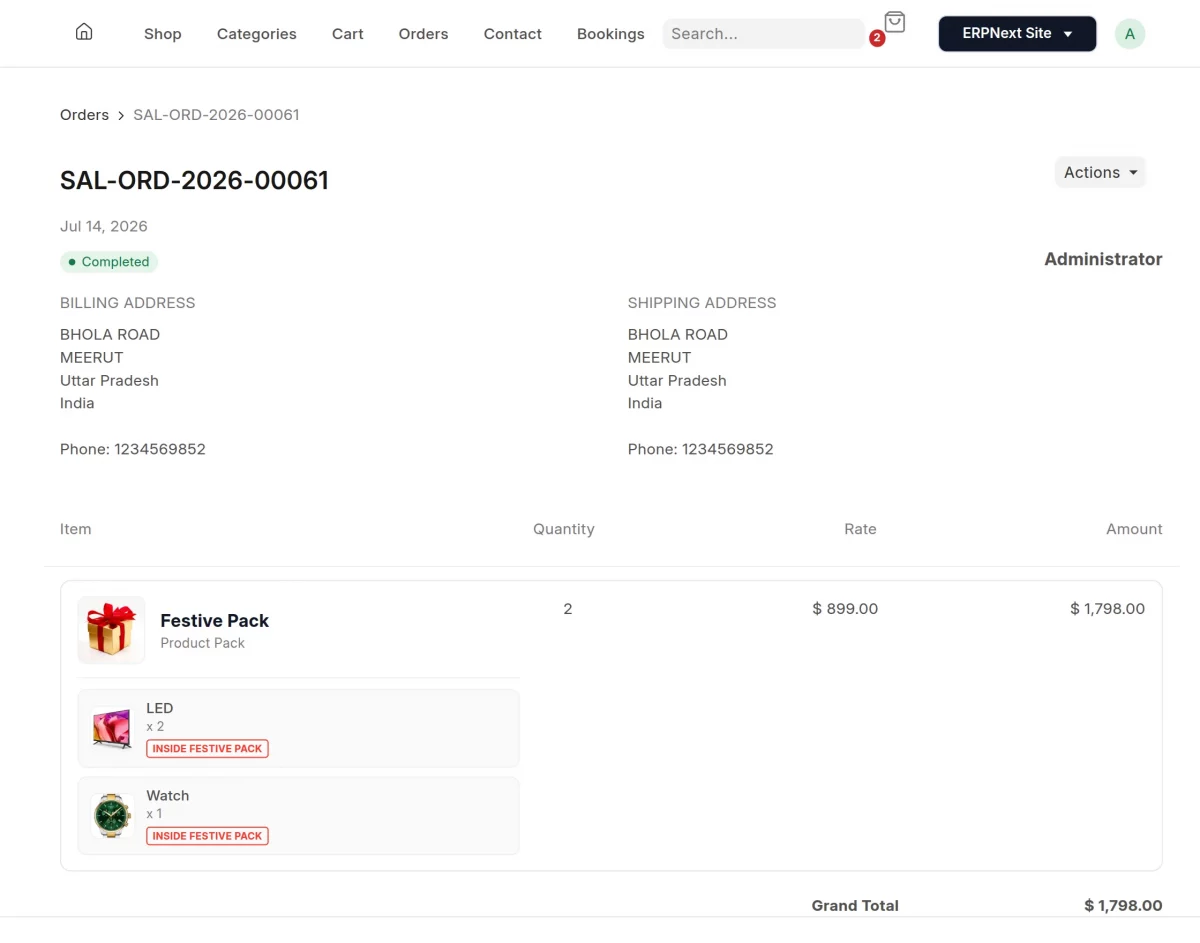
Finally, after placing the order, customers can track the pack quantity and pack rate right from their order detail page.
Need Help?
Hope you find this guide helpful! Please feel free to share your feedback in the comments below.
If you still have any technical queries or need a custom feature, please raise a ticket or contact us at [email protected].
Current Product Version – 0.0.1
Supported Framework Version – ERPNext V16
PakarPBN
A Private Blog Network (PBN) is a collection of websites that are controlled by a single individual or organization and used primarily to build backlinks to a “money site” in order to influence its ranking in search engines such as Google. The core idea behind a PBN is based on the importance of backlinks in Google’s ranking algorithm. Since Google views backlinks as signals of authority and trust, some website owners attempt to artificially create these signals through a controlled network of sites.
In a typical PBN setup, the owner acquires expired or aged domains that already have existing authority, backlinks, and history. These domains are rebuilt with new content and hosted separately, often using different IP addresses, hosting providers, themes, and ownership details to make them appear unrelated. Within the content published on these sites, links are strategically placed that point to the main website the owner wants to rank higher. By doing this, the owner attempts to pass link equity (also known as “link juice”) from the PBN sites to the target website.
The purpose of a PBN is to give the impression that the target website is naturally earning links from multiple independent sources. If done effectively, this can temporarily improve keyword rankings, increase organic visibility, and drive more traffic from search results.