Odoo LLM TXT Generator helps businesses create structured LLMs.txt files that AI systems can easily read and understand.
As a result, websites become easier to find in AI-powered search experiences.
Additionally, this module automatically generates and caches content to improve website performance. This helps AI crawlers access website information without incurring additional server load.
Additionally, Odoo LLM TXT Generator supports multiple websites, multiple languages, and dynamic Odoo object mapping.
Therefore, businesses can prepare their websites for modern AI platforms such as ChatGPT, Claude, and Gemini.
- Generate AI-friendly LLMs.txt files directly from your Odoo website.
- Configure separate LLM feeds for multiple websites in the same Odoo database.
- Supports multiple languages and serves translated content to AI crawlers automatically.
- Create custom sections and dynamic content using Odoo objects.
- Map Odoo fields to generate structured markdown data for AI systems.
- Automatically add LLM discovery links to your website’s robots.txt file.
- Generate alternative markdown links for products, blogs and other website pages.
- Cache generated content to improve website performance and reduce database requests.
- Refresh LLM content manually or automatically via scheduled actions.
- Preview the generated LLMs.txt output in Developer Mode before publishing.
- Once you purchase the App from Webkul store, you will receive a link to download zip module submit.
- Extract the files on your system once the download is complete. As a result, you will be able to see a folder named “wk_llms_txt_generator”.
- Copy and paste this folder inside your folder Odoo Add-ons Path.
- Now, open the Odoo Application and click on the Settings menu. Here, click Enable Developer Mode.
- Then, open the Application menu and click ‘Update Module List.’
- In the search bar, clear all filters and search for ‘wk_llms_txt_generator‘
- You will be able to see the module in the search results. Click on ‘Activate‘ to install it.
Website Configuration
- After installing Odoo LLMs TXT Generator, open it Website → Configuration → Website and open your website record.
- Here, configure the website domain properly so that the correct llms.txt URL can be generated for each website.
Enable LLMs.txt Generator
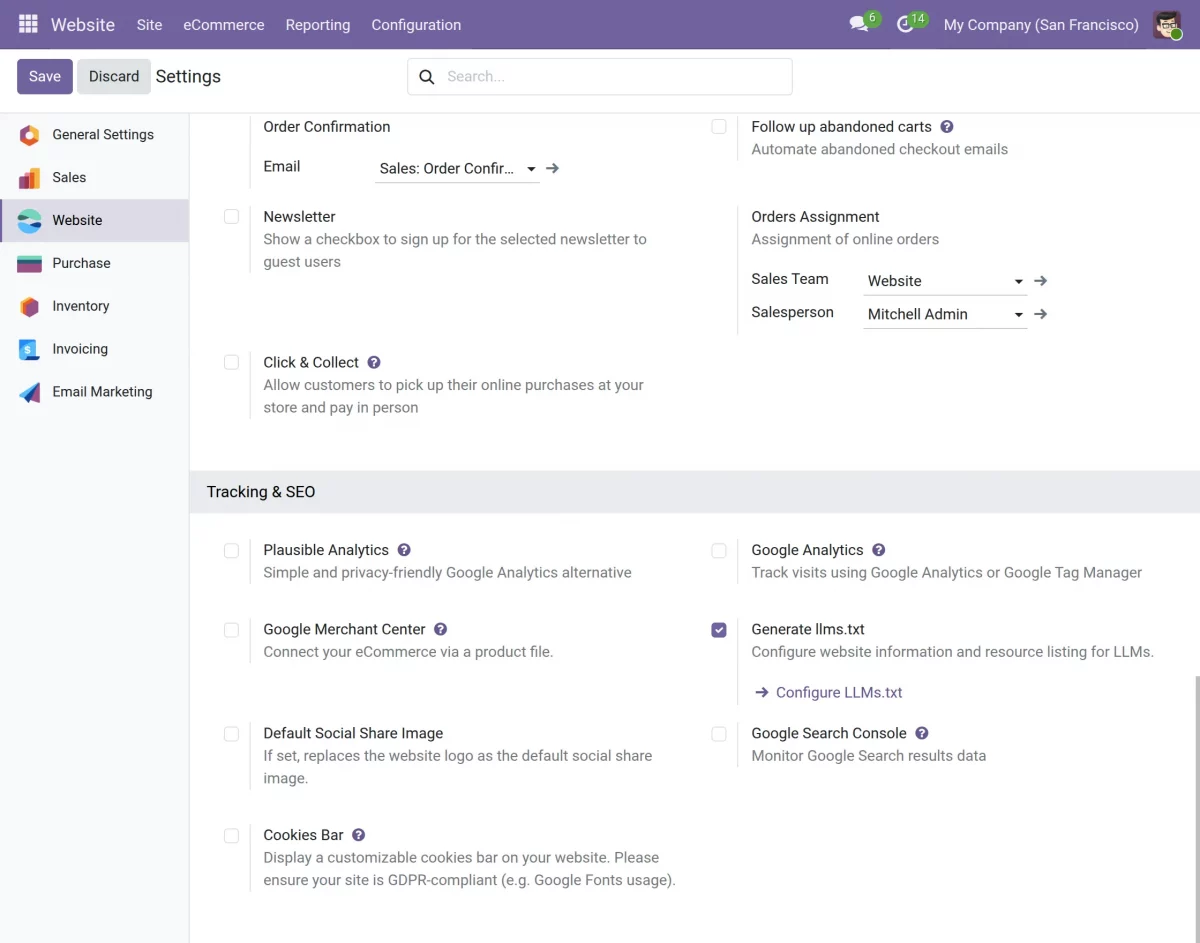
3. Scroll down to Creator of llms.txt section, enable it Enable llms.txtand click Configure llms.txt Structure.
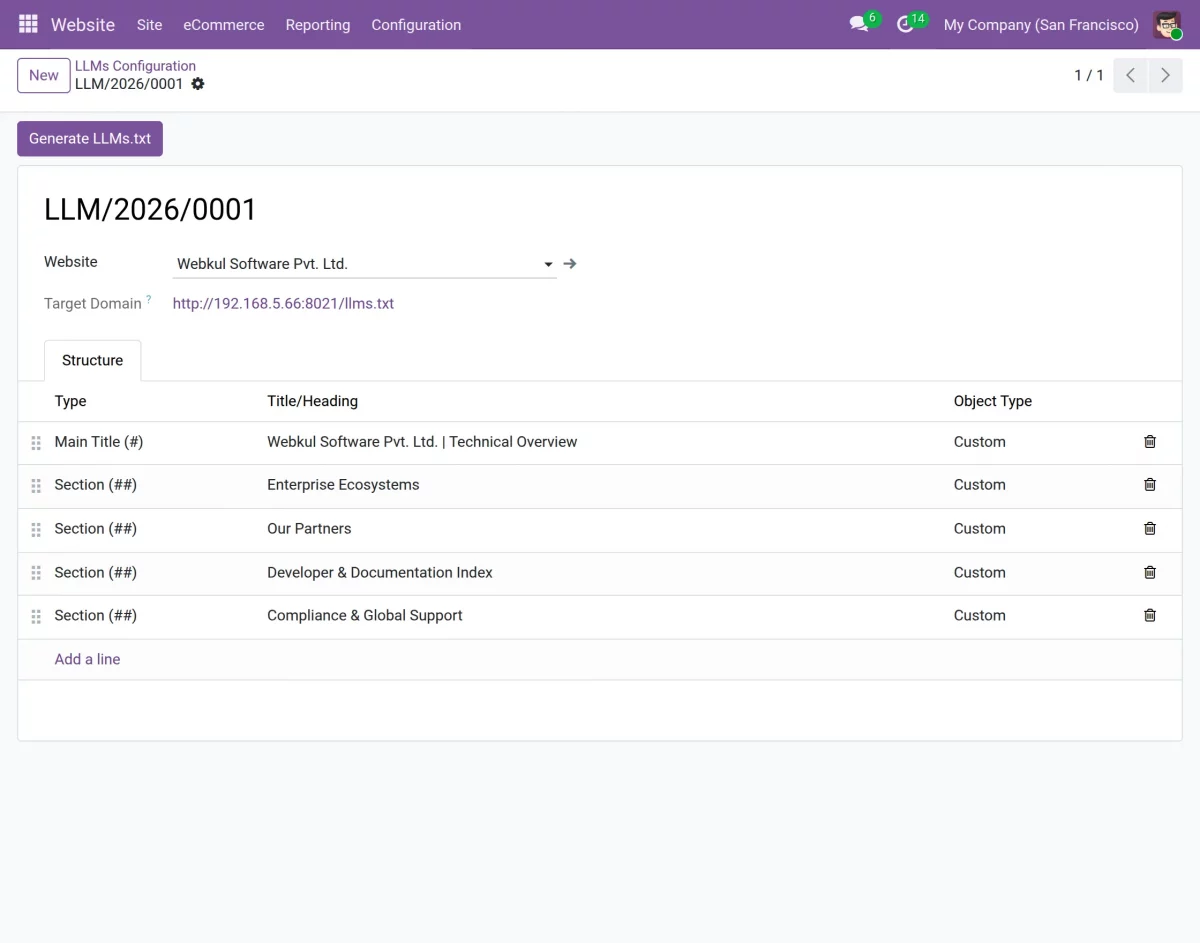
4. Once you open the configuration page, you will see a list of all existing LLM configurations for the selected website.
5. Click New to create a new LLM configuration.
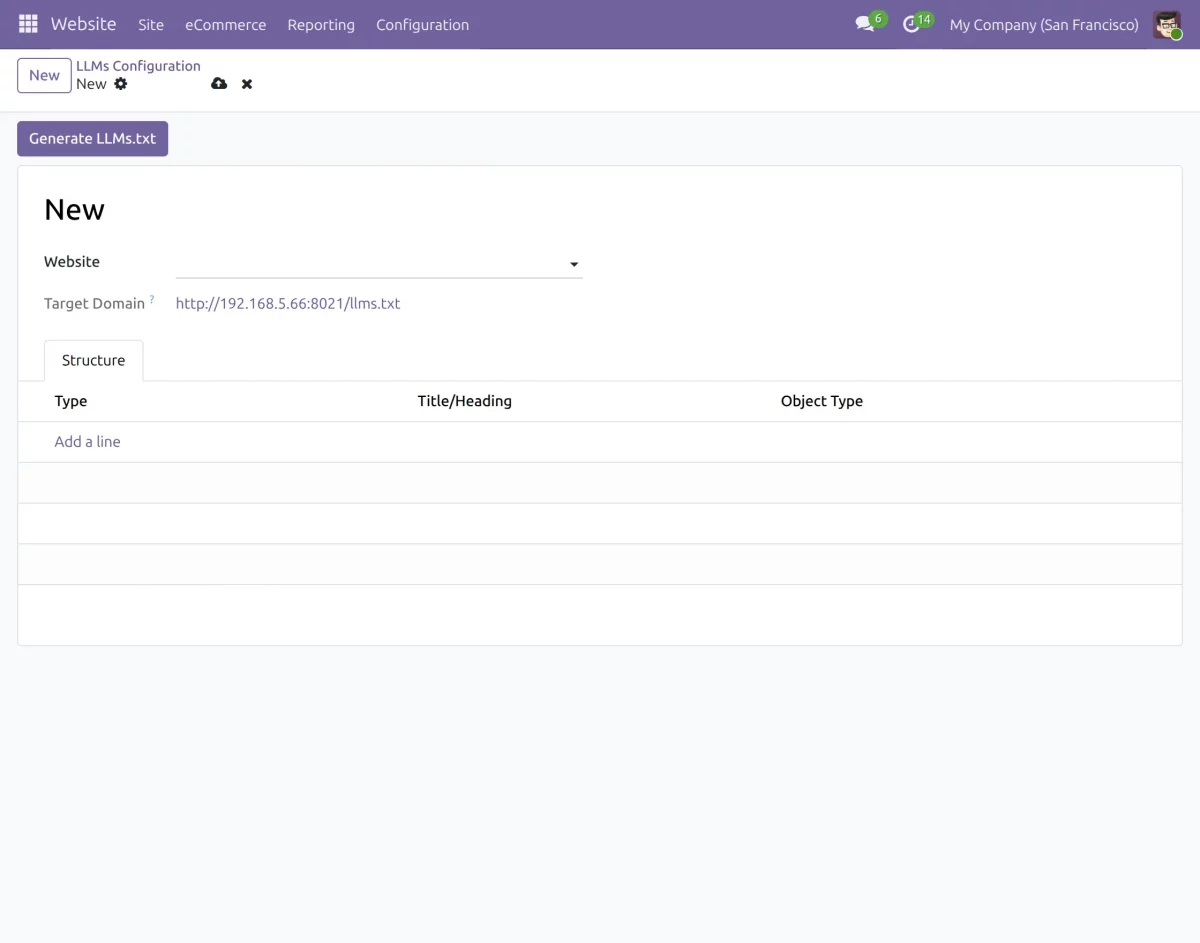
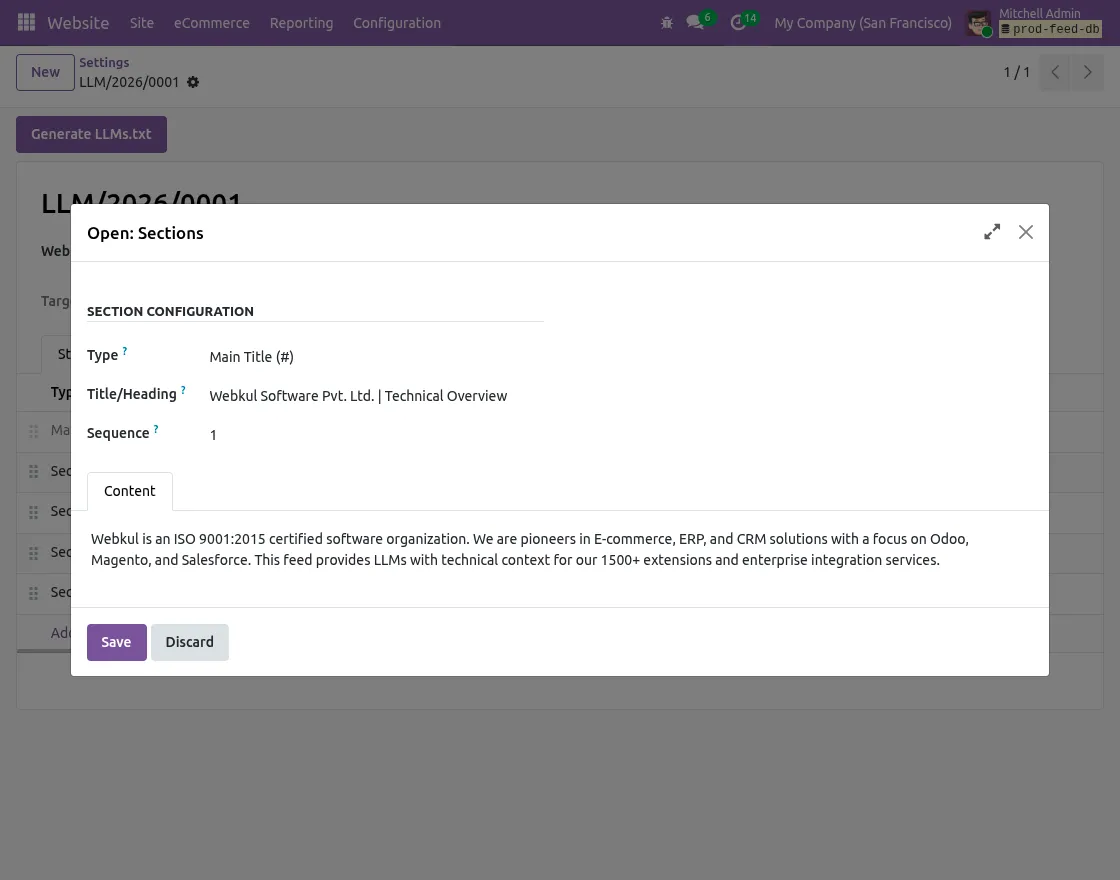
6. In Main Title section, enter the main title and introductory content that will appear at the beginning of the resulting llms.txt file.
7. Next, create different sections to organize products, blogs, events, APIs, or other website resources.
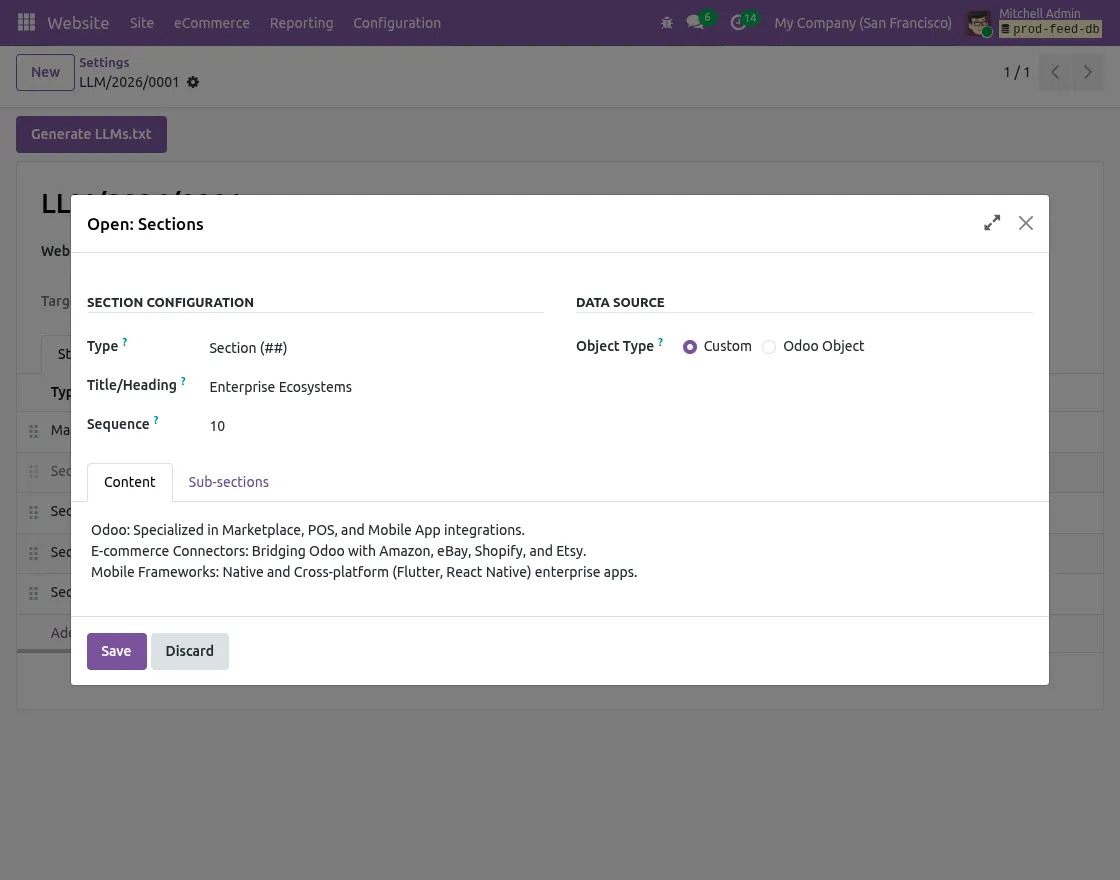
8. For each section, you can select the required data source.
8.1. Habit: Manually add static content, such as company information, documentation links, or contact details.
8.2. Odoo Objects: Dynamically retrieve records from Odoo models such as Products, Blogs, Events or other business objects.
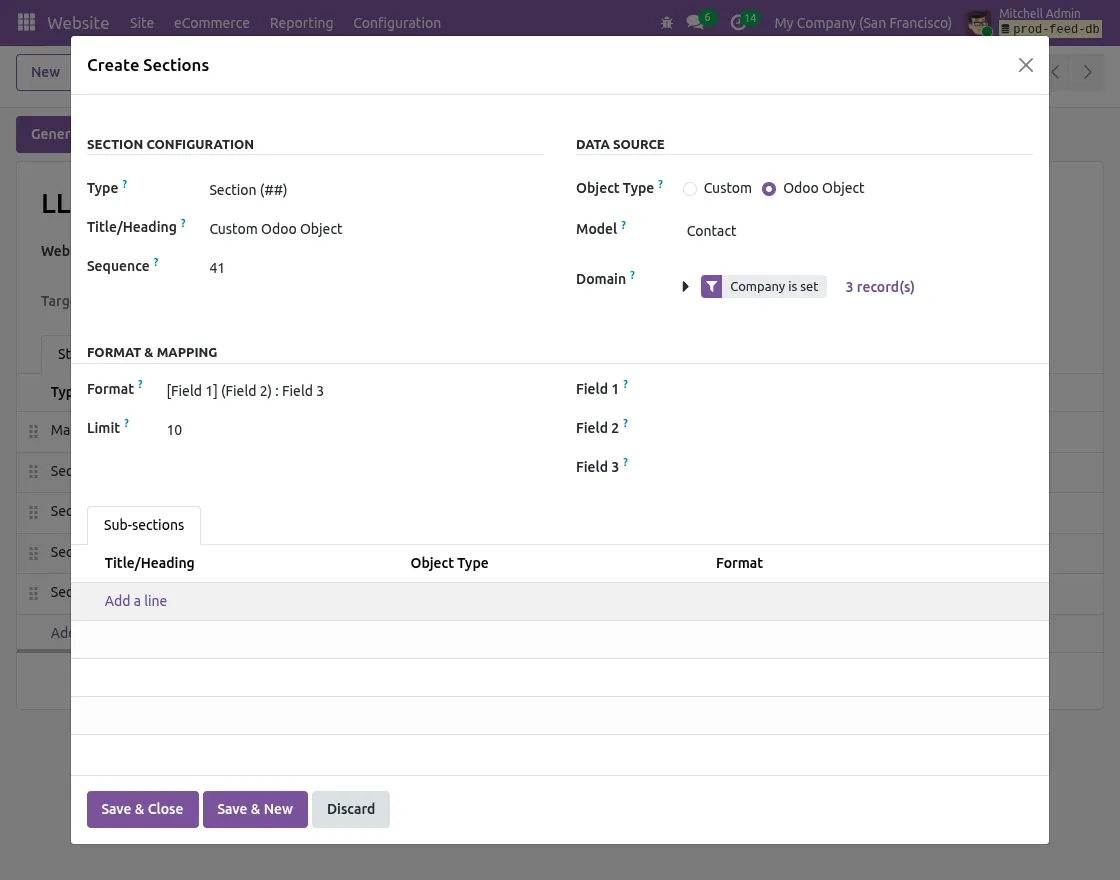
9. If you choose Odoo Objectsconfigure the following details:
9.1. Select the required Odoo model.
9.2. Add Odoo domain to filter data.
9.3. Specify the maximum number of records to display.
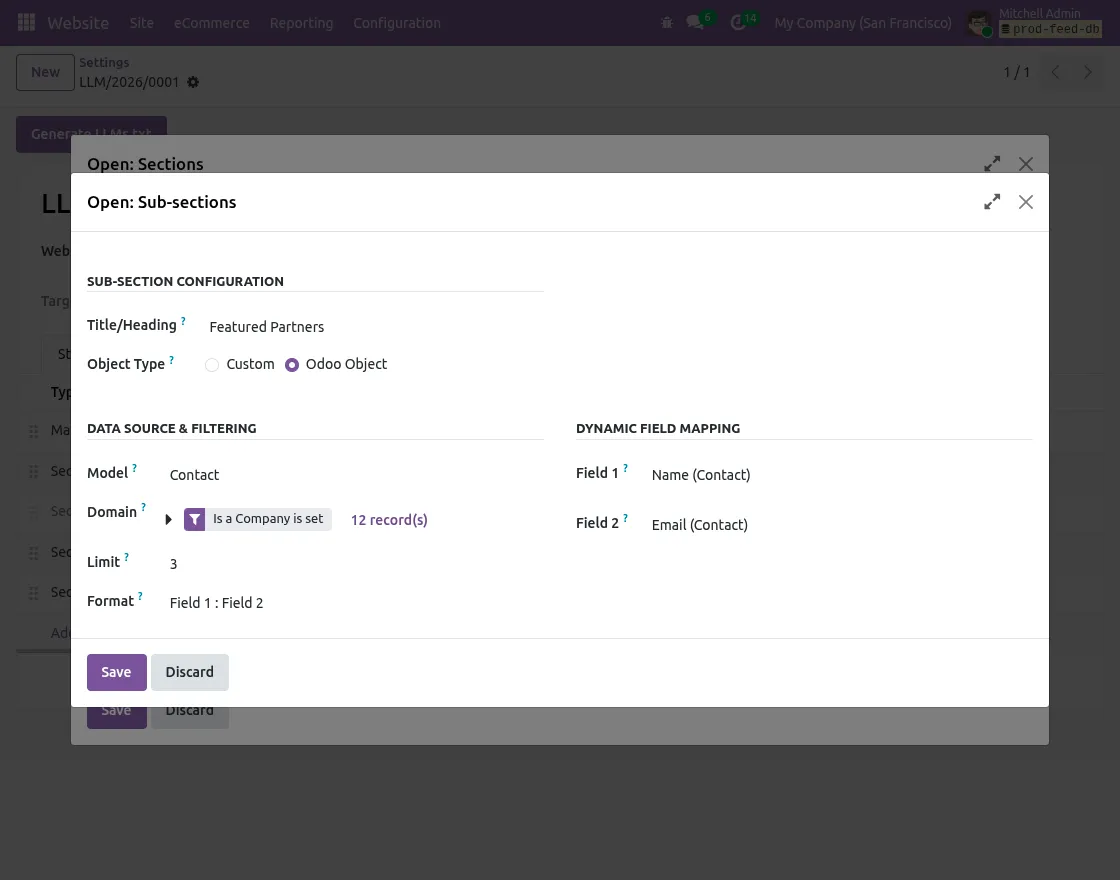
9.4. Configure field mapping for Title, URL, and Description.
9.5. Select the desired markdown output format.
Generate LLMs.txt Content
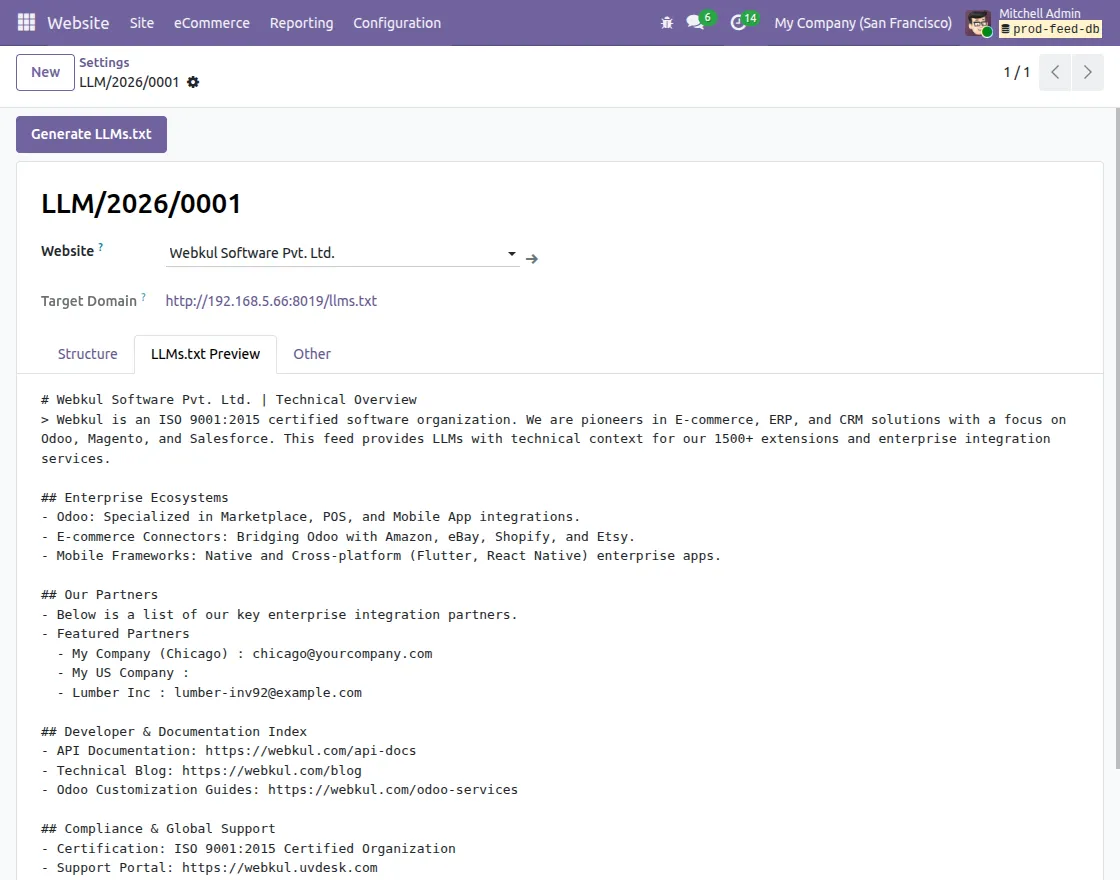
10. After completing the configuration, click Generate LLMs.txt to compile and cache the resulting content.
11. If Developer Mode is enabled, you can open Preview llms.txt tab to verify the resulting markdown before publishing it publicly.
Automatic Content Updates
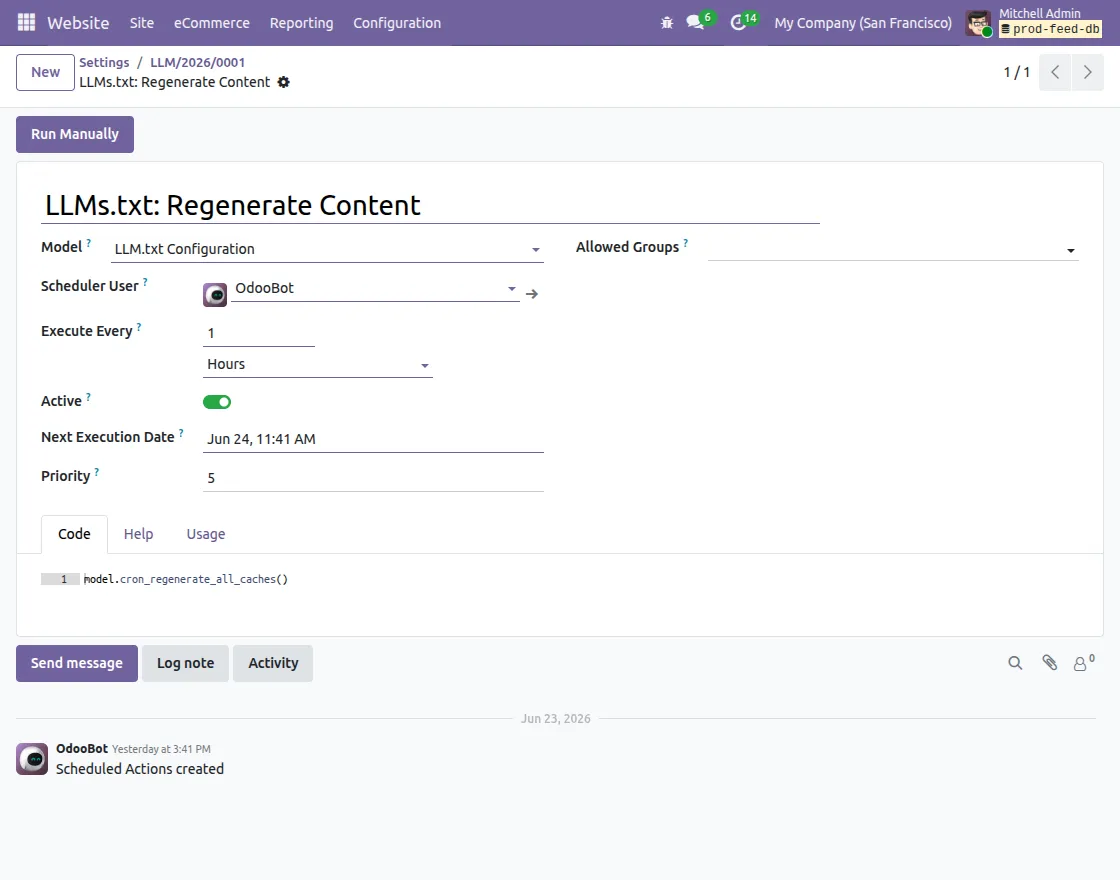
12. Odoo LLMs TXT Generator automatically creates named scheduled actions LLMs.txt: Regenerating Content Cache to refresh the resulting content periodically.
We hope this guide is useful for you! Please share your feedback in the comments below.
If you still have problems/questions, please create a ticket at UV Desk.
I hope this helps. If you have further questions, contact us on our support mail.
Thank you for noticing!!
Current Product Version – 1.0.0
Supported Framework Versions – Odoo V16, Odoo V17, Odoo V18, Odoo V19

PakarPBN
A Private Blog Network (PBN) is a collection of websites that are controlled by a single individual or organization and used primarily to build backlinks to a “money site” in order to influence its ranking in search engines such as Google. The core idea behind a PBN is based on the importance of backlinks in Google’s ranking algorithm. Since Google views backlinks as signals of authority and trust, some website owners attempt to artificially create these signals through a controlled network of sites.
In a typical PBN setup, the owner acquires expired or aged domains that already have existing authority, backlinks, and history. These domains are rebuilt with new content and hosted separately, often using different IP addresses, hosting providers, themes, and ownership details to make them appear unrelated. Within the content published on these sites, links are strategically placed that point to the main website the owner wants to rank higher. By doing this, the owner attempts to pass link equity (also known as “link juice”) from the PBN sites to the target website.
The purpose of a PBN is to give the impression that the target website is naturally earning links from multiple independent sources. If done effectively, this can temporarily improve keyword rankings, increase organic visibility, and drive more traffic from search results.